
Collect every assignment in one place, score each one by importance and urgency plus how much effort it takes, break the big ones into scheduled steps, then time-block the high-impact work into your best focus hours and review daily. Quick methods like the Eisenhower Matrix, ABCDE, or the Rule of Three give you a fast way to rank a mixed workload. Tools like AI-powered student planners can automate the collection and scheduling steps, which is often where students lose the most time.
TL;DR:
- Prioritization methods like the Eisenhower Matrix, ABCDE, and MoSCoW help rank tasks by urgency and impact, but consistent use is crucial for effectiveness.
- Decomposing large assignments into smaller milestones and scheduling them during focus-optimized times increases the likelihood of timely completion.
- Matching task difficulty to energy levels and building buffer time into schedules prevents overcommitment and reduces last-minute stress.
- Externalization, tiny starting actions, and timers are especially effective for students with ADHD or executive-function challenges to initiate work.
- Automated tools like Syncronos can streamline collection, prioritization, and schedule rebalancing, saving time and minimizing manual management.
Table of Contents
- Proven prioritization methods and when to use each
- Actionable workflow: collect, score, decompose, schedule, review
- How to book tasks into your calendar by energy, duration, and buffer
- Practical, low-friction adaptations for ADHD and executive-function challenges
- Research and practice evidence that supports the workflow
- Balancing planning with doing
- Syncronos: an automated way to collect, prioritize, schedule, and rebalance assignments
- Authoritative worksheets, templates, and guides to download or bookmark
- Sources
- FAQ
Proven prioritization methods and when to use each
Most students already know a handful of tricks for ranking work. The problem is picking one and sticking with it long enough to see if it actually helps.
The Eisenhower Matrix sorts tasks by urgency and importance into four boxes: do now, schedule, delegate, and drop. For a student, a major paper due in three weeks sits in the "schedule" box even though it feels distant, while a small quiz tomorrow morning lands in "do now" despite carrying less weight in your final grade. The Eisenhower Matrix works because it forces you to separate deadline pressure from actual academic impact, something a plain due-date list never does.
ABCDE and MoSCoW are quicker categorical systems for mixed workloads. ABCDE assigns each task a letter from A (must do today) to E (eliminate), which the UNC Learning Center's priorities worksheet builds into a printable template with checkboxes for tracking completion. MoSCoW, borrowed from project management, sorts tasks into must-have, should-have, could-have, and won't-have, which works well when you're juggling coursework, a job, and personal commitments at once.
For high-stakes projects, a value-versus-effort view helps you decide where to spend limited hours. Plot each assignment on a rough grid of expected grade impact against time required, and the low-effort, high-value items become obvious quick wins.
Daily focus rules keep the bigger frameworks from turning into an all-day planning exercise:
- Ivy Lee Method: write down the six most important tasks for tomorrow, in order, before you finish today.
- MIT (Most Important Task): pick one task that would make the day a success if nothing else got done.
- 1-3-5 Rule: plan one big task, three medium tasks, and five small tasks per day.
- Rule of Three: narrow any list down to three primary outcomes, which the ADDitude guide on task prioritization recommends specifically to cut decision overload.
Choosing a single framework for the week matters more than choosing the "right" one. Switching systems every few days burns time on setup instead of on the work itself, and most of these methods produce similar rankings once you apply them consistently.
Actionable workflow: collect, score, decompose, schedule, review
A ranked list only helps if it turns into scheduled hours on your calendar. The five-step workflow below converts a messy backlog into a plan you can actually execute.
- Collect everything. Pull every assignment from syllabi, emails, and to-do apps into one list. For each item, record the due date and time, its grade weight or impact, your estimated effort in hours, any dependencies (a draft that needs feedback before a final version), and late penalties.
- Score by combining urgency, impact, and effort. A ten-page paper worth 30% of your grade, due in ten days, might score A-1 (high priority, high impact). A five-question reading quiz worth 2%, due tomorrow, might score B-2 (urgent but low impact). This is the same logic behind university guidance on assigning priorities, which pairs urgent/important labels with letter grades like A/B/C/D.
- Decompose large assignments into milestones. Break the paper into research, outline, draft, and revision, each with its own estimated duration. A task that says "write paper" never gets started; a task that says "write outline, 45 minutes" usually does.
- Schedule blocks mapped to energy and time available. Put the outline in a morning slot when your focus is sharp, and save quiz review for a lower-energy evening block. Add buffer time between blocks so one overrun does not collapse the rest of your day.
- Review daily and reschedule weekly. A two-minute check each morning catches new assignments before they pile up, and a weekly review rebalances the whole week when priorities shift.
Pro Tip: Set an explicit start trigger for each block, like "open laptop and write outline heading" instead of a vague "work on paper," so starting doesn't require a decision.
Here's how that looks with a real mix of work: a major research paper worth 30% due in two weeks, alongside weekly quizzes worth 5% each. In step one, you log the paper's due date, weight, and a rough 12-hour effort estimate, plus each quiz's smaller footprint. In step two, the paper scores A-1 and the quizzes score B-2, since they're urgent but low stakes individually. In step three, the paper splits into four scheduled milestones across the two weeks. In step four, each milestone gets a calendar block during a focus window, while quiz review gets a fixed fifteen-minute slot the night before each one. In step five, a Sunday review shifts Wednesday's outline block to Tuesday when a surprise lab report appears.

This is the point where most systems break down, not from picking the wrong framework, but from skipping decomposition entirely. According to Arizona State University's guidance on prioritization, a ranked list without scheduled chunks rarely leads to completion, because ranking tells you what matters without telling you what to physically do next.
How to book tasks into your calendar by energy, duration, and buffer
A priority score means nothing until it lands on your calendar at a specific time. Matching task difficulty to your energy level is what makes a schedule realistic instead of aspirational.
- Match hard cognitive work to peak focus windows. Writing, problem sets, and dense reading belong in whatever hours you concentrate best, whether that's early morning or late evening.
- Reserve low-energy blocks for admin. Formatting citations, checking rubrics, and organizing notes fit naturally into the tired stretch after a long class.
- Log actual time spent, not just estimates. If you guess an essay outline takes 30 minutes but it consistently takes 50, adjust future estimates to match reality.
- Use Pomodoro-compatible blocks. A 25-minute focus block with a 5-minute break fits well inside a larger 90-minute scheduled session for demanding tasks.
- Protect the block. Turn off notifications, work on one task at a time, and set a micro-deadline for the block itself, like "outline done by 9:15."
Practice-based time-management training improves how students actually apply these strategies far more than reading about them does, according to a review of practice-based interventions. Sitting through a lecture on prioritization changes little; running one week of scheduled blocks and adjusting them changes behavior.
Buffer time is not wasted time. A calendar packed edge to edge collapses the moment one task runs long, dragging every following block with it.
Practical, low-friction adaptations for ADHD and executive-function challenges
Ranking systems assume you'll start the task once it's scheduled. For students with ADHD or executive-function difficulties, starting is often the harder problem, not ranking.
- Externalize everything. A visible list, whether on paper or a screen, removes the burden of holding tasks in memory.
- Shrink the first action. "Open the document and write one sentence" is a task you can start in ten seconds; "write the essay" is not.
- Use a timer. A Pomodoro-style 25-minute timer creates a defined end point, which lowers the resistance to beginning.
- Apply the Rule of Three. Picking three outcomes for the day, or three stages for a big project, reduces the overload that comes from an unbounded list, a tactic ADDitude specifically recommends for ADHD.
- Borrow a starting partner. A peer or parent who sits down and does the first two minutes alongside you can model initiation without taking over the task.
Pro Tip: Focus only on the next ten minutes of a task rather than its full scope; momentum from a small start often carries into the harder middle section.
For students with ADHD, the effective intervention tends to be task initiation support, tiny starter actions and external triggers, rather than a more elaborate ranking system. If attention or planning difficulties persist despite these adjustments, a conversation with a professional is a reasonable next step, separate from any prioritization method.

Research and practice evidence that supports the workflow
The workflow above is not guesswork. It reflects recurring advice from student-success centers and findings from time-management research.
- Practice beats knowledge alone. Research on practice-based training found that students who practiced time-management strategies applied them more consistently than students who only learned the terminology, which supports running a short one-week trial of a single method instead of studying five.
- Decomposition and buffers are standard advice, not a shortcut. University worksheets consistently recommend listing every task, assigning a priority label, breaking large assignments into steps, and scheduling with buffer time built in.
- Overplanning has a real cost. The same research notes that excessive planning can raise stress rather than lower it, which is why prioritization works best as a loop: estimate, schedule, record what actually happened, then revise the next estimate.
Treating your system as a feedback loop rather than a one-time setup is what keeps it accurate over weeks instead of drifting further from reality each time a new assignment lands.
Balancing planning with doing
The best prioritization system is the one you stop thinking about. A framework only earns its place if it takes less time to run than the work it's organizing, which is why I favor simple habits over elaborate ranking exercises. Some student planning tools automate the extraction and scheduling of academic tasks from syllabi and to-do lists, then rebalance study blocks and deadlines as things shift, so the logistics stay quiet in the background. Try one framework for a week and time how long you spend planning versus doing. If planning creeps past a few minutes a day, the system is working against you.
— Syncronos
Syncronos: an automated way to collect, prioritize, schedule, and rebalance assignments
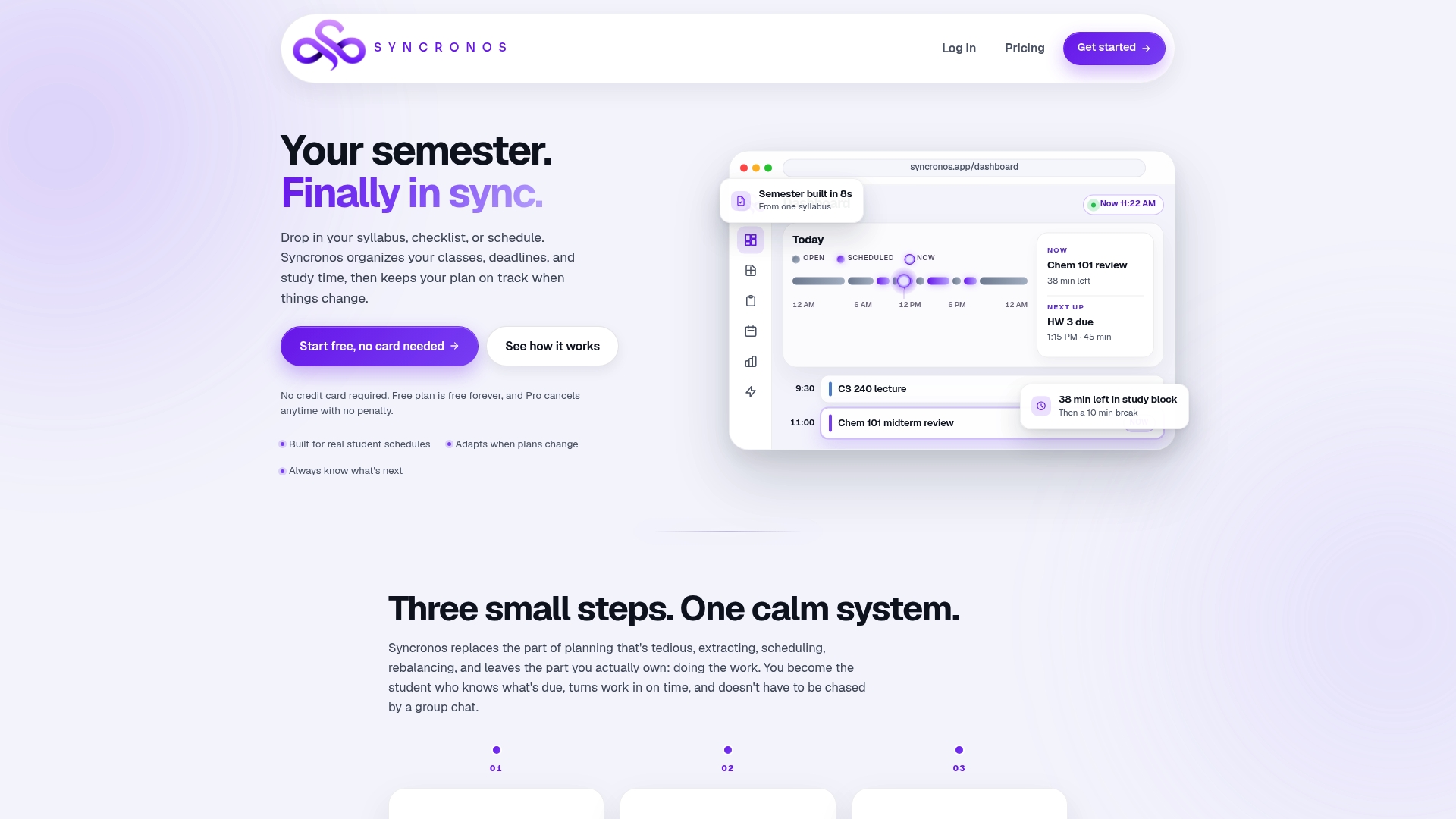
The five-step workflow in this article, collect, score, decompose, schedule, review, matches features offered by some AI-powered student planners designed to help students spend their time studying rather than rebuilding a planner manually. These tools may allow uploading a syllabus or to-do list to extract due dates, create a prioritized dashboard, and suggest scheduled blocks factoring in effort and deadlines automatically.
- Automated collection: syllabi and checklists can be turned into a structured task list without manual entry.
- Priority view: a clear dashboard shows what needs attention first, based on deadline and workload.
- AI-suggested scheduling: study blocks are mapped onto your calendar with decomposition factored in.
- Dynamic rebalancing: when a new assignment appears or a deadline shifts, schedules adjust accordingly instead of requiring a full manual redo.
Picture a student with a research paper, three problem sets, and a lab report all landing in the same week. Instead of manually reranking everything at 11 p.m., Syncronos rebuilds the schedule the moment the lab report gets added.
The Free plan lets you test the core features, while the Monthly plan at $8.99 or the Yearly plan at $55.99 unlock unlimited AI scheduling and forecasting. Start with the assignment planner to see your next two weeks laid out automatically.
Authoritative worksheets, templates, and guides to download or bookmark
A handful of free resources cover the same ground as this article in worksheet form, useful if you prefer working from a printed template.
- UNC Learning Center's ABCD priorities worksheet gives a printable template for labeling tasks and decomposing projects into checklist items.
- Arizona State University's prioritize and execute guidance walks through listing, decomposing, and scheduling academic work with buffer time.
- ADDitude's task prioritization guide focuses on the Rule of Three and initiation tactics for students who struggle to start.
- For a version of these templates that fills itself in from your syllabus, the Syncronos assignment planner applies the same collect-and-score logic automatically. Students matching demanding coursework to focused study sessions may also find Examo's learning platform useful for structured practice sessions during peak concentration hours.
Sources
- Prioritize and Execute (Arizona State University)
- How to Prioritize Tasks (Harvard Business School Online blog)
- Practice-based time-management interventions (research summary)
- How to prioritize tasks (ADDitude)
- Priorities worksheet: A, B, C & D (UNC Learning Center)
FAQ
How do you prioritize assignments?
Collect every assignment with its due date, grade weight, and estimated effort, then score each one by combining urgency and impact. Break large assignments into smaller scheduled steps, block calendar time for the highest-priority work during your best focus hours, and review the list daily to catch new tasks before they pile up.
What are the five levels of priority?
Common systems use five levels similar to the ABCDE method: A for must-do-today tasks, B for important but not urgent, C for nice-to-do, D for delegate, and E for eliminate. Definitions vary slightly between templates, but the UNC ABCD worksheet offers one widely used version built around four letter categories plus decomposed checklist items.
What is the Rule of Three in prioritization?
The Rule of Three means narrowing your daily focus to three primary outcomes, or breaking a large assignment into three stages, instead of working from an open-ended list. The ADDitude guide on prioritization recommends it specifically to reduce the overload that comes from long, unranked task lists.
Is prioritization difficulty linked to ADHD?
Executive-function differences associated with ADHD can make prioritizing and starting tasks harder, particularly when a list feels long or unranked. Practical adaptations like externalizing tasks, using timers, and shrinking the first action tend to help more than complex ranking systems, though a formal evaluation from a professional is the appropriate path if difficulties persist.
Should I prioritize by due date or by importance?
Due date alone is not a reliable priority signal, since a low-impact task due tomorrow can crowd out a high-impact task due next week. The Eisenhower Matrix approach described by Harvard Business School Online combines urgency with importance and available hours, which gives a more accurate ranking than deadline order by itself.