
Use both. Put fixed-time commitments on your calendar and keep granular next actions on a to-do list, then schedule the highest-priority list items into calendar blocks. The reasoning is simple: time-bound events need a slot, while actionable tasks need a place to live until they are ready for one. The routine that ties them together follows four steps: capture, clarify, schedule, and review.
TL;DR:
- Calendar items should be reserved for scheduled events, appointments, and deadlines tied to specific times or coordination needs.
- To-do lists are best for capturing flexible next actions with deadlines, which should not be scheduled until ready to be acted upon.
- Combining both systems and reviewing capacity weekly helps prevent overload and improves task prioritization.
- Automatic syllabus extraction tools like Syncronos can streamline the process by placing fixed commitments into the calendar and actionable tasks into a checklist.
- A pragmatic hybrid approach generally outperforms pure calendar or list systems once schedules and deadlines become complex.
Table of Contents
- How calendars and to-do lists actually differ
- The trade-offs of each system
- How to decide where an item belongs
- A weekly and daily routine that keeps both systems honest
- Frameworks that feed your calendar and your list
- How Syncronos applies this hybrid approach for students
- Why a pragmatic hybrid beats purist systems
- Try syllabus-to-calendar automation with Syncronos
- Sources
- FAQ
How calendars and to-do lists actually differ
A calendar exists to reserve time. It shows when something happens, coordinates with other people, and reveals how much capacity is left in a day or week. A to-do list exists to hold actionable next steps, the kind of granular tasks that break a larger project into pieces someone can actually start.
The confusion between the two often comes down to due dates versus scheduled work time. A due date tells you when something must be finished; scheduled time tells you when you will actually do the work. According to a discussion on productivity habits, the practical dividing line is whether an item needs to happen at a specific time.
- Calendar items: class lectures, meetings, appointments, flights, deadlines tied to a specific hour.
- To-do list items: "draft outline," "read chapter 4," "email professor," tasks with flexible timing but a due date attached.
- Gray area: recurring study sessions, which work best as calendar blocks once you commit to a time.
The trade-offs of each system
Calendars protect focus by giving tasks a fixed home in your day, but an overloaded calendar creates false certainty: seeing a block on the screen feels like progress even when the task never gets touched. To-do lists are excellent at capturing everything that needs doing and helping you prioritize, but a long list can quietly hide how much work you have actually committed to.
- Calendar risk: clutter from over-scheduling low-value tasks, which crowds out real deep work.
- List risk: an endless backlog that never gets triaged, so urgent items blend in with someday items.
- Fix for both: review capacity weekly instead of adding tasks reactively.
A conceptual analysis of productivity systems points to the same pattern: calendar-only systems create false certainty, while list-only systems hide overload. Combining both exposes real capacity while still letting you choose the highest-value task for open time.
Pro Tip: If your calendar is full but your list keeps growing, the problem isn't time management, it's that too many list items are being promoted to blocks that don't fit.
How to decide where an item belongs
Most scheduling confusion disappears once you apply a short set of rules before adding anything to either system.
- Ask if it needs a specific time or coordination with someone else. If yes, it goes on the calendar.
- Check if it's a next action with a due date but no fixed time. If so, add it to the to-do list and note the deadline there, not on the calendar.
- Reserve calendar blocks only for high-priority or delay-prone work. Everything else fills open windows from the list as time allows.
- Run a short capture-to-schedule check: capture the item, clarify the concrete next action, assign it to a list or the calendar, then review it during your next planning session.
This mirrors the heuristic outlined in the Reddit productivity thread: ask whether something needs to happen at a specific time, and let that single question route the item correctly the first time.
A weekly and daily routine that keeps both systems honest
The hybrid approach only works if you reconcile the two systems on a schedule, not whenever you remember to.
- Capture everything in one inbox first. New tasks, ideas, and requests all land in a single place before you decide where they belong.
- Run a weekly studio loop for music teachers review. Match upcoming due dates to your actual calendar capacity, build blocks for deep work, and move a handful of list items into those slots.
- Do a daily micro-review. Pick two or three priority list items and slot them into whatever calendar windows are open that day.
- Protect longer blocks for high-value work and use short gaps for quick list items instead of letting them sit unscheduled.
A practical workflow described by Work Awesome follows the same shape: capture commitments, put fixed events on the calendar, break projects into next actions on the list, then treat calendar whitespace as a resource to consume with prioritized tasks rather than empty slack.
Pro Tip: Treat every open calendar slot as a decision point, not a default. Ask what the highest-value list item is before filling it.

Frameworks that feed your calendar and your list
Several well-known frameworks work because they generate items for both systems rather than replacing either one.
- The 3-3-3 method structures a day as three hours on one important project, three shorter urgent tasks, and three maintenance activities, splitting naturally between a calendar block and a short list, as described by Lifehacker.
- Time blocking assigns specific hours to specific work, while time-boxing simply caps how long a task gets; both work best when the task being scheduled already has a concrete next step defined.
- Mental contrasting and implementation intentions, studied by Gabriele Oettingen at NYU, show that defining a goal and a concrete next step before scheduling improves follow-through once that task hits your calendar.
How Syncronos applies this hybrid approach for students
Syncronos extracts key dates from uploaded syllabi and places fixed commitments, like exams and class sessions, directly onto the calendar, while turning each assignment into an actionable checklist item. When a deadline shifts, its adaptive rebalancing adjusts study blocks automatically without losing track of what still needs doing.
- Syllabus dates become calendar events; assignments become trackable next actions.
- Adaptive scheduling keeps calendar capacity realistic as deadlines change.
- Daily and weekly reconciliation views help students pick which tasks to schedule into open windows, similar to the assignment planning approach used for reconciling coursework with real availability.
Why a pragmatic hybrid beats purist systems
People gravitate toward pure calendars or pure lists because each feels simpler on its own, and that instinct is not wrong for light schedules. Once classes, deadlines, and shifting plans stack up, though, a hybrid routine holds up better. Try it for two weeks: use paper if you think in handwriting, digital if you need reminders and syncing, per the format differences Consumer Reports found between planners and digital calendars.
— Syncronos
Try syllabus-to-calendar automation with Syncronos
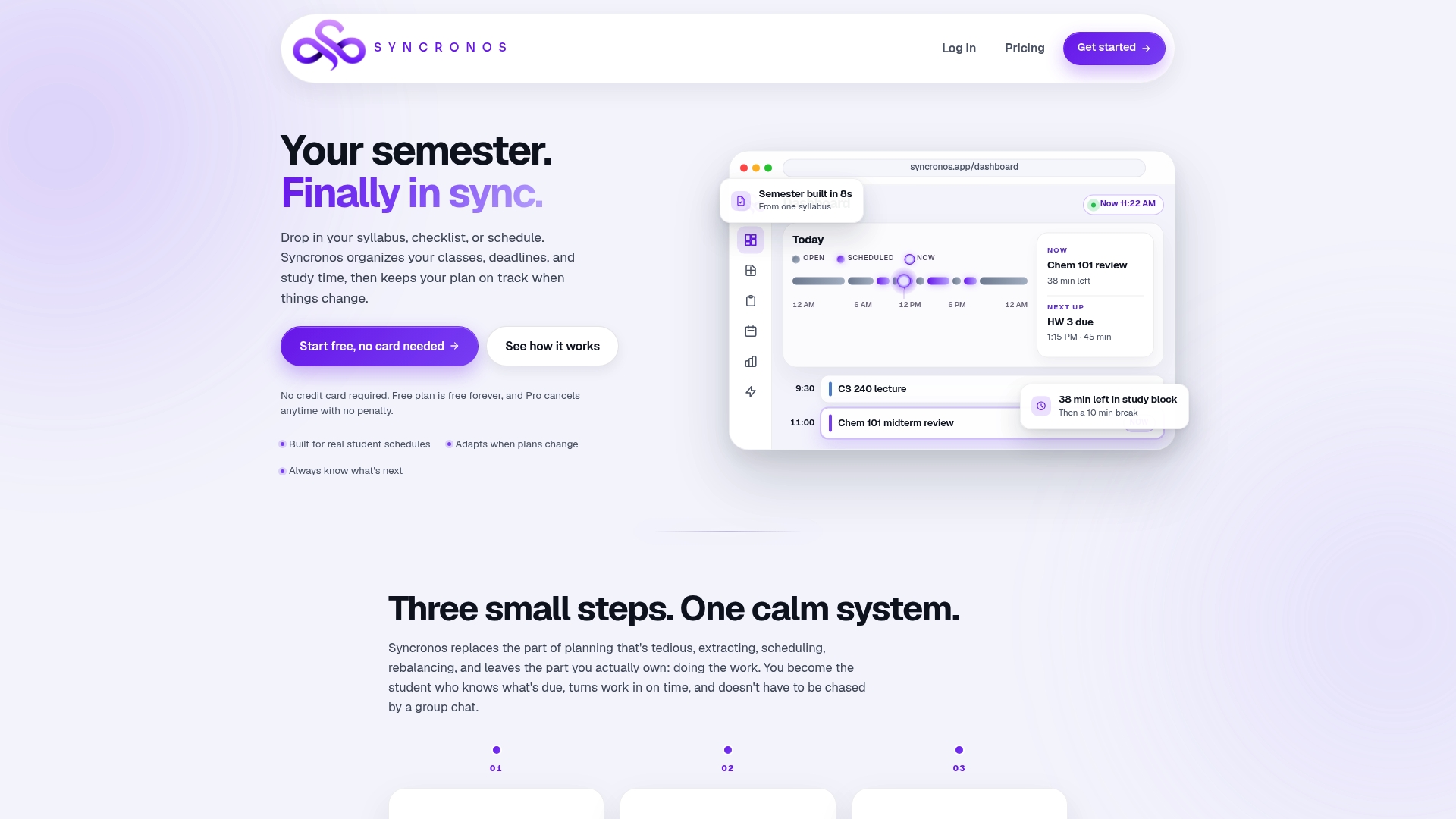
Reconciling a calendar and a to-do list by hand works, but it takes a weekly habit most students don't keep up once midterms hit. Syncronos builds that reconciliation into the product itself: upload a syllabus, and it extracts deadlines onto a calendar while generating the actionable tasks behind each one, then rebalances both as plans change.
- The free tier offers limited manual and AI-powered planning at no cost.
- The Monthly plan unlocks unlimited AI schedule generation for a fee; current prices are on the pricing page.
- The Yearly plan covers the same tools for an annual fee; current prices are on the pricing page.
Start with the syllabus-to-calendar tool to see how a real course schedule converts into a working calendar and task list in one pass.
Sources
- Difference between a Calendar and a To Do list? — Reddit
- Structure your day with the 3-3-3 method — Lifehacker
- Gabriele Oettingen — research on mental contrasting and implementation intentions — NYU
- Which is better: planner or digital calendar? — Consumer Reports
FAQ
What is the 3-3-3 rule for tasks?
The 3-3-3 method structures a day into three hours on one important project, three shorter urgent tasks, and three maintenance activities. It works with a calendar and a to-do list together rather than replacing either, as explained by Lifehacker.
What is better than a to-do list?
No single tool beats a to-do list on its own; the more reliable approach pairs it with a calendar. Fixed-time commitments go on the calendar while flexible next actions with due dates stay on the list, based on the decision rule described in a productivity discussion.
What's a better word for to-do list?
Common alternatives include "task list," "action list," or "checklist," depending on how granular the items are. All describe the same function: a place to hold actionable next steps until they are scheduled or completed.
Does Apple Calendar have a to-do list?
Apple Calendar itself is built for scheduled events, but Apple Reminders can appear alongside Calendar events on iOS, letting scheduled tasks and calendar items show up together. This integration is documented in Apple's support guide for Reminders.
How does Syncronos combine calendar and to-do list features for students?
Syncronos extracts syllabus dates into calendar events and turns each assignment into a task on a checklist, then rebalances both automatically when deadlines change. Students can view pricing and start with the free tier before upgrading to unlock unlimited AI scheduling.