
Drag and drop scheduling, in the context that matters most for students today, means software that reads a syllabus, builds a prioritized calendar automatically and rebalances that calendar when changes occur. The payoff is concrete: less time spent formatting a planner and more time actually studying, with fewer assignments falling through the cracks. Research on adaptive study systems backs this up, and some tools are built specifically to deliver it.
TL;DR:
- AI scheduling tools extract and prioritize assignments from syllabi, making automatic adjustments when deadlines or availability change.
- Proper setup requires importing all syllabi, blocking fixed commitments, and adding padding to early time estimates to account for optimistic AI predictions.
- Using adaptive planners can significantly reduce stress and improve schedule adherence, with studies showing a 34.7% stress reduction and 82.1% adherence over four weeks.
- Common scheduling failures include underestimated task durations and permission issues, which are easily fixed by recalibrating estimates and re-establishing calendar access.
- Synchronizing schedules with Google Calendar or Outlook requires granting write access, and breaking tasks into shorter sessions helps recover more effectively when sessions are missed.
Table of Contents
- What Does an AI Scheduling Tool Actually Do?
- How Does the Scheduling Process Actually Work?
- How Do You Set Up a Semester Planner for Best Results?
- Does Adaptive Scheduling Actually Improve Outcomes?
- Why Do Schedules Break, and How Do You Fix Them?
- Why Syllabus Parsing and Rebalancing Come First
- Start Building Your Semester Schedule Today
- Sources
- FAQ
What Does an AI Scheduling Tool Actually Do?
An AI semester planner is not a digital sticky note. It reads source documents, makes judgment calls about what matters, and keeps adjusting as your semester changes shape.
Here's what that looks like in practice:
- Extraction: The system scans uploaded syllabi, reading lists, and to-do items to pull out assignments, exam dates, and project milestones, converting a wall of text into discrete, dated tasks.
- Prioritization: Tasks get ranked using a mix of urgency (how close the due date is), weight (how much the assignment counts toward your grade), and estimated effort, so your calendar surfaces what actually deserves attention first.
- Adaptive rebalancing: If you miss a study block, add a shift at work, or a professor pushes a deadline, the planner detects the conflict and reshuffles surrounding tasks rather than leaving you to redo the math by hand.
- Notifications: Most systems flag changes through in-app alerts or calendar updates, so you know what moved and why.
- Calendar output: The finished schedule syncs to formats you already use, including Google Calendar, Outlook, and standard ICS files, so it lives where you already check your day.
The goal is a planner that reflects reality, not a static template you abandon by week three.
How Does the Scheduling Process Actually Work?
The mechanics behind an adaptive planner follow a fairly consistent sequence, whether you're managing three classes or eight.
- Import: You upload a syllabus PDF, paste a reading list, or connect a to-do app. Most platforms support common file types, and a manual entry option covers the rare document that won't parse cleanly.
- Parsing and classification: Natural language processing identifies assignment names, due dates, and point values, then estimates how long each task will take and tags it by difficulty or type (reading, problem set, paper).
- Constraint-aware placement: The scheduling engine slots tasks into open blocks on your calendar, respecting the availability windows and preferred study times you've set, rather than just stacking everything before deadlines.
- Adaptive loop: The system tracks whether you're completing sessions on time, watches for new conflicts, and applies rules to redistribute workload automatically when adherence slips.
- Permissions: Calendar sync requires access permissions for Google, Outlook, or ICS feeds. Most sync issues trace back to a permission that got revoked or a calendar the app can't write to.
Pro Tip: Grant calendar write access from a desktop browser the first time you connect an account. Mobile permission prompts are more likely to default to read-only, which silently breaks adaptive rescheduling.
This layered approach mirrors what researchers have found effective elsewhere: planning interventions that populate calendars automatically and pair them with reminders sustain follow-through far better than a plan students have to maintain manually.
How Do You Set Up a Semester Planner for Best Results?
Getting real value out of an AI planner depends less on the software and more on how you configure it in the first two weeks.
- Import every syllabus you have, plus any standing to-do lists or reading logs, so the planner works from a complete picture rather than one class at a time.
- Block out immovable commitments first: work shifts, practice, commutes, and sleep, so the engine never schedules over them.
- Set your preferred study windows (morning person versus night owl matters here) so generated blocks land when you're actually likely to use them.
- Tag a few sample assignments with your own effort estimates early on to help the system calibrate to your pace rather than a generic average.
- Run one weekly review where you accept, adjust, or reject proposed reschedules instead of letting every automatic change apply silently.
Pro Tip: AI time estimates tend to run optimistic. Add 20 to 30 percent padding to the first few weeks of suggested durations until the planner learns your real working speed; this single habit does more to fix a frustrating early experience than any setting in the app.
If you miss a stretch of tasks, reconnect your calendar and re-import any updated syllabi rather than trying to patch gaps manually. Students who benefit from shorter, more frequent sessions can configure blocks in smaller increments and add check-in prompts. That kind of structure lines up with practical guidance on managing time blindness and unrealistic duration estimates, which is worth a look if pacing has always been the hard part of planning for you.
Does Adaptive Scheduling Actually Improve Outcomes?
The case for adaptive planning isn't theoretical. A 2026 evaluation of an AI-driven study management system found a 34.7% reduction in reported academic stress, alongside syllabus coverage that climbed from 61.2% to 88.4% and schedule adherence of 82.1% sustained over four weeks.
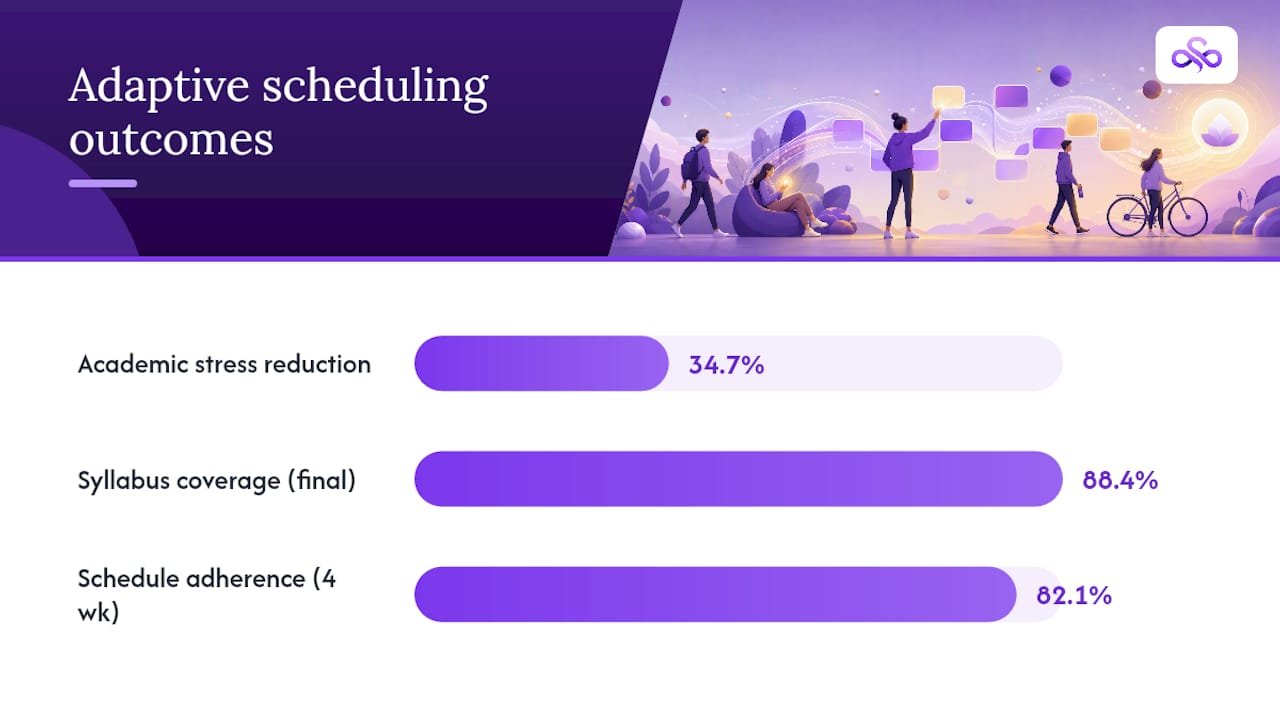
Why these numbers matter: stress reduction and adherence aren't just nice side effects. Separate pilot work on time management platforms found that roughly 82% of participants rated visualizations and personalized recommendations as genuinely helpful for staying on top of their own workload.
None of this replaces judgment. Guidance from education researchers is consistent: AI planning tools work best as a complement to existing study habits, not a substitute for reviewing your own week and making the final call.
Why Do Schedules Break, and How Do You Fix Them?
Most planning failures trace back to a handful of predictable causes, and each has a fast fix.
- Underestimated durations: If tasks routinely run long, increase your effort multiplier or manually pad estimates for that assignment type going forward.
- Duplicate or missing calendar events: This almost always means a permission was revoked or two calendars are syncing the same feed. Reconnect the account and remove the duplicate source.
- Repeated missed benchmarks: Break remaining tasks into shorter sessions, reduce your daily load target, and re-run the scheduling engine with adjusted estimates rather than trying to catch up in one marathon session.
- Overcorrection: If auto-adjustments start feeling erratic during an unusually chaotic week (finals, a family emergency), pause adaptive rescheduling and switch to manual placement until things stabilize.
Why Syllabus Parsing and Rebalancing Come First
Some planning tools are focused around the idea that the biggest source of student stress isn't a lack of willpower, but the hidden labor of turning multiple syllabi into one coherent week. For some tools, syllabus parsing and adaptive rebalancing are central features, not add-ons.
Every extraction, every prioritized dashboard view, and every release we ship is built to keep that promise reliable as your semester gets messier. Use the AI's first pass as a draft, then apply your own weekly review. That combination, not the automation alone, is what actually keeps a semester on track.
— Syncronos
Start Building Your Semester Schedule Today
If you're tired of rebuilding your planner every time a deadline moves, Syncronos gives you a syllabus-to-calendar system that does the rebuilding for you. Upload your course syllabi, and the assignment planner extracts every task and due date automatically, then hands you a prioritized calendar instead of a flat list.
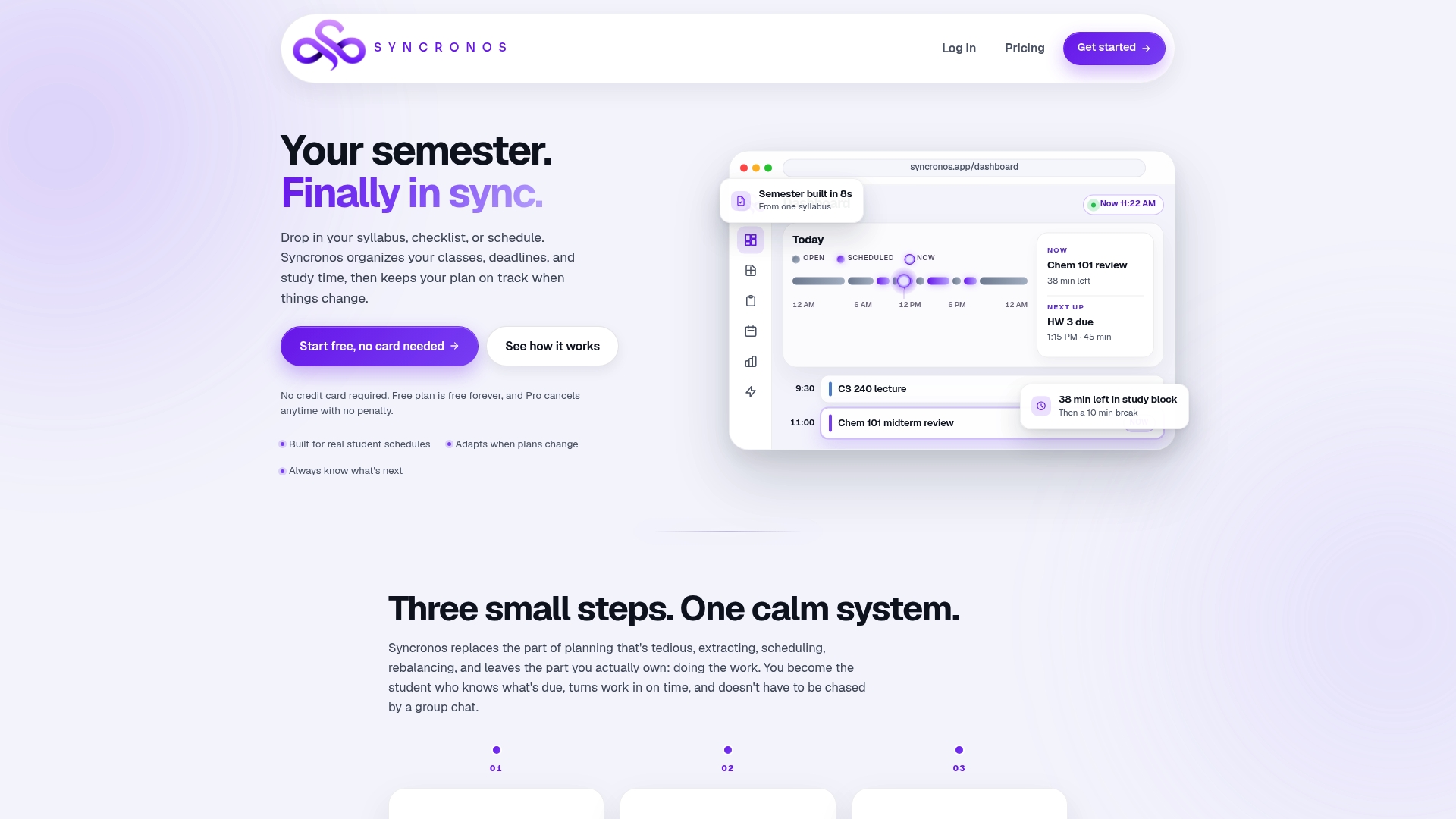
From there, the AI study planner handles adaptive rescheduling whenever your availability changes, and the syllabus to calendar tool keeps everything synced to Google Calendar, Outlook, or ICS. Check the pricing page to see what's included in the free tier versus the full AI-optimized plan. Your first move: import one syllabus, generate a schedule, and run your first weekly review this week to see how the rebalancing actually behaves.
Sources
Research cited above spans peer-reviewed evaluations, NBER working papers, and academic frameworks on adaptive study systems and AI agents in education.
- An AI-Driven Smart Study Management System: Adaptive Scheduling, Personalized Planning, and Performance Analytics for Academic Excellence
- Planning intervention studies showing calendar-based scheduling and reminders improve study adherence
- Towards intelligent time management applications for students: A technical framework for data collection, modeling, and personalized feedback
FAQ
What Is Drag and Drop Scheduling for Students?
In this context, it refers to AI software that automatically extracts assignments from syllabi, builds a prioritized calendar, and rebalances that schedule as deadlines or availability change.
Does an AI Planner Actually Reduce Stress?
A 2026 evaluation of an adaptive study management system found a 34.7% reduction in reported stress alongside adherence of 82.1% over four weeks.
How Accurate Are AI Time Estimates?
AI duration estimates tend to run optimistic at first, so padding early estimates by 20 to 30 percent while the planner learns your pace is a common practitioner recommendation.
Can I Sync an AI Planner With Google Calendar or Outlook?
Yes. Tools like Syncronos sync generated schedules to Google Calendar, Outlook, and standard ICS files, provided you grant calendar write permissions during setup.
What Happens When I Miss Several Study Sessions in a Row?
Best practice is to break remaining tasks into shorter blocks, lower your daily workload target, and re-run the schedule generation rather than trying to catch up all at once.