
Yes, students should use the Eisenhower Matrix, and it works because it forces a decision most students never make on purpose: sorting tasks by what actually matters, not just what feels loud. Start by doing a short brain dump of everything on your plate, drop the genuinely urgent items into Q1, and schedule one Q2 study block before the week starts.
TL;DR:
- Students should prioritize tasks based on how much they affect final grades and how close deadlines are, focusing on urgent and important tasks first.
- Weekly routines of dumping tasks, sorting into quadrants, scheduling Q2 study sessions, and daily check-ins help maintain focus and prevent last-minute cramming.
- Q3 tasks like replying to non-critical messages or formatting work often feel productive but do not impact grades, posing a common trap for students.
- For students with ADHD, breaking tasks into smaller chunks and using external tools like alarms or templates can improve matrix adherence and overall productivity.
- Automating the matrix with tools like Syncronos can reduce upkeep and adapt schedules quickly when deadlines shift, especially useful during busy or dynamic semesters.
Table of Contents
- What Is the Eisenhower Matrix for Students?
- Common Student Tasks, Sorted Into Each Quadrant
- How to Run a Weekly Triage Ritual
- Where the Matrix Breaks Down, and ADHD Adjustments
- Templates and Tools to Start Today
- Why Protecting Q2 Changes How Students Actually Learn
- Automate Your Matrix With Syncronos
- Sources
- FAQ
What Is the Eisenhower Matrix for Students?
The Eisenhower Matrix sorts tasks along two axes: urgency, meaning how soon something is due, and importance, meaning how much it affects your grade or your actual learning. Cross those axes and you get four boxes, each with a different job to do.
- Q1, Do: Urgent and important. Handle it now.
- Q2, Schedule: Important but not urgent. Block time for it before it becomes urgent.
- Q3, Delegate or minimize: Urgent but not important. Shrink it, hand it off, or ignore it.
- Q4, Eliminate: Neither urgent nor important. Cut it.
Here's the contrast that matters for students: an exam tomorrow morning is Q1, no debate. Studying a little each night for three weeks before that exam is Q2. Same subject, same eventual outcome, completely different quadrant, because one is a fire and the other is fire prevention.
Common Student Tasks, Sorted Into Each Quadrant
Sorting a task takes seconds once you know what to look for. The trick is asking two questions: how much of your grade does this touch, and how close is the deadline?
Q1 examples tend to be things you cannot postpone without real damage:
- A lab report due at midnight tonight
- An exam scheduled for tomorrow
- A direct, time-sensitive request from an instructor
Q2 examples are the ones that build your grade quietly over weeks:
- A term paper or capstone project due next month
- Weekly review of lecture notes
- Deliberate skill practice, like working extra problem sets in a hard math class
- Office hours visits, which build understanding before a crisis hits
Q3 examples are the sneaky ones. Common student Q3 tasks include replying to non-critical group chat messages, obsessively reformatting a slide deck, or attending an optional meetup that does nothing for your grade. These feel like work. They rarely move a grade.
Q4 examples are the easiest call: passive scrolling, or agreeing to low-value commitments when you're already buried.
Pro Tip: Weigh importance by asking what percent of your final grade a task carries and how many days you have left. A discussion post worth 2% due in three weeks is not competing for the same attention as a midterm worth 25% due Friday.
How to Run a Weekly Triage Ritual
The matrix only works if you rebuild it every week. Treat it like a recurring appointment, not a one-time fix.
- Dump everything (5 to 10 minutes). List every assignment, reading, exam, and commitment on your radar, no filtering yet.
- Sort into quadrants (5 minutes). Move fast. Use a simple rule: if it affects a large chunk of your grade and lands within a few days, it's Q1. If it matters but has breathing room, it's Q2.
- Schedule Q2 blocks (10 to 15 minutes). Pick actual times on your calendar this week. "Study for chemistry" is not a plan. "Chemistry review, Tuesday 4 to 5 p.m." is.
- Run a daily check-in (2 minutes). Each morning, glance at the matrix and confirm nothing quietly slid from Q2 into Q1 overnight.
Sunday evening works well for most students because it sets the tone before Monday hits. During exam weeks, shrink this into a quick daily version instead of a single weekly sit-down. Weekly triage rituals like this one are common across student time management guides for exactly this reason: they keep the matrix alive instead of letting it go stale after one use.
The last step is the one people skip. A Q2 item that stays a vague intention drifts toward Q1 the moment the deadline closes in. Converting each Q2 task into a named calendar session with a start time and a subject, rather than leaving it as a mental note, is what actually protects it.

Where the Matrix Breaks Down, and ADHD Adjustments
The biggest trap is Q3 disguised as productivity. Answering messages and polishing formatting feels like progress because you're finishing things fast, but none of it moves your grade. Watch for that pattern especially the week before something big is due.
For students with ADHD, the matrix still works, it just needs smaller pieces. ADDitude's guidance recommends shorter time boxes, more external structure like alarms and printed templates, and treating instructor office hours as your version of delegation rather than trying to offload work to nobody in particular.
Practical fixes that help across the board:
- Set a timer for Q2 sessions so they stay small and specific instead of open-ended
- Use office hours as delegation when a Q3 task is really a question you could hand off to your instructor
- Keep a physical or digital template visible so sorting becomes automatic, not a decision you have to remember to make
Templates and Tools to Start Today
A printable matrix works fine for a single semester of light coursework. Draw four boxes, fill them during your weekly triage, and review it daily. Portland Community College's template is a solid starting point if you want a fillable version rather than building your own.
Digital setups can stay just as simple:
- A calendar app paired with one task list, nothing fancier
- A lightweight task app that lets you tag items by quadrant
- An assignment ranker that scores tasks by deadline and grade weight when you want more precision than a gut check
Manual tracking is enough for a light course load with predictable deadlines. It gets harder the moment you're juggling five classes, group projects, and a syllabus that changes twice a month. That's where automating the syllabus to calendar step earns its keep, converting deadlines straight into scheduled Q2 blocks and adjusting them when a professor moves an exam date. Manual matrices work. They just take upkeep that automation can quietly absorb during a heavy semester.
Why Protecting Q2 Changes How Students Actually Learn
Cramming feels productive right up until the exam, but it front-loads all the stress into Q1 and skips the part where learning sticks. Students who treat Q2 as a real appointment, not a someday task, spend less time firefighting later in the semester. The habit worth building is small: name every Q2 study session on your calendar the moment you spot it, before it has a chance to drift into an emergency.
— Syncronos
Automate Your Matrix With Syncronos
Building a matrix by hand works, but keeping it accurate all semester is where most students quit. Syncronos reads your syllabi and to-do lists, builds your calendar automatically, and rebalances your Q2 study blocks the moment a deadline shifts, so the matrix stays current without you rebuilding it every Sunday.
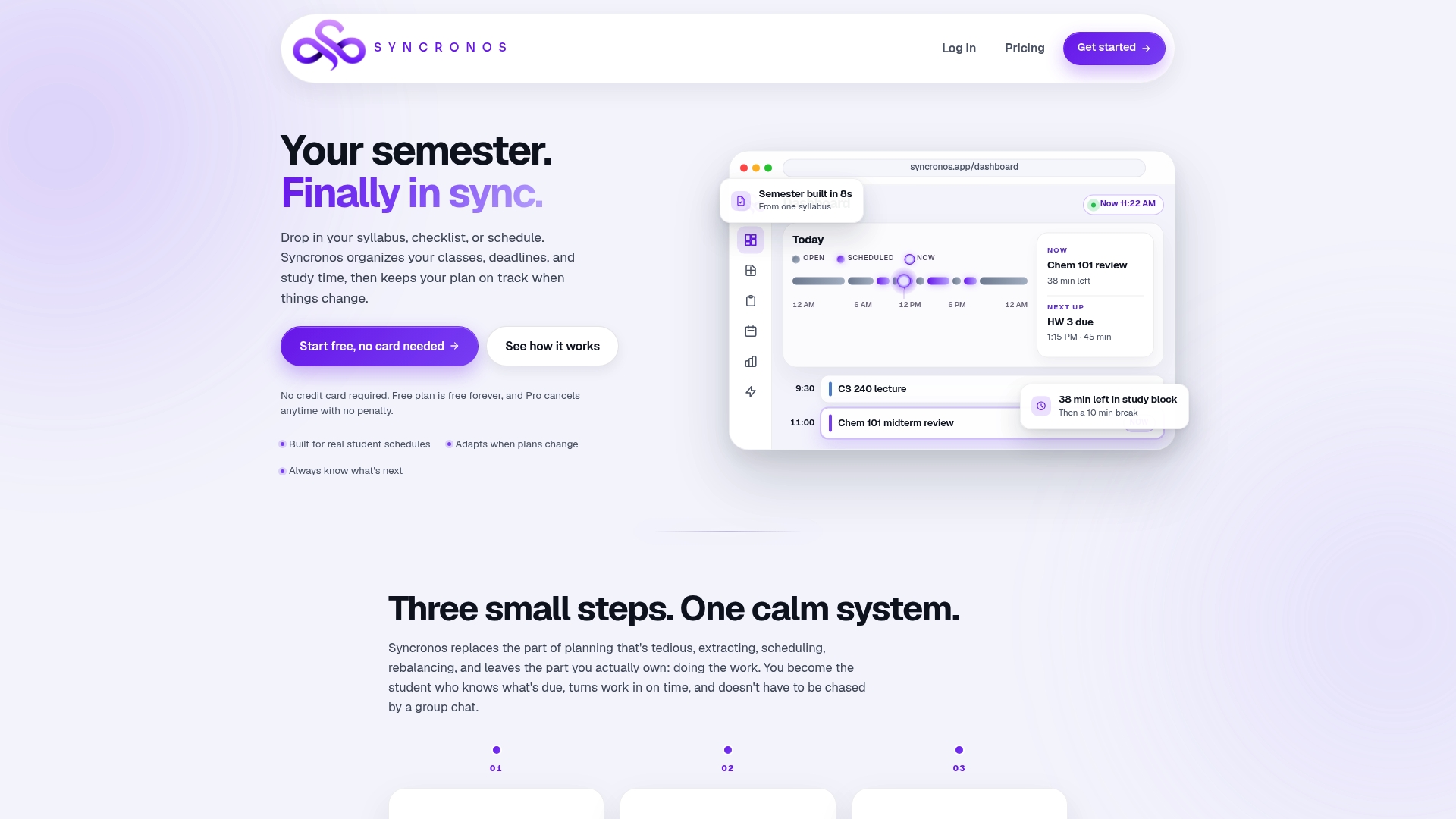
You can start on the Free plan with limited manual and AI planning features, or move to the Monthly plan at $8.99 per month or the Yearly plan at $55.99 per year for unlimited AI schedule generation, workload forecasting, and automatic rescheduling. This isn't the only way to run an Eisenhower Matrix. A printable box works fine for a light semester. But once your course load gets heavier and deadlines start moving, check the pricing page and see which tier fits your semester.
Sources
- Columbia University — Eisenhower Matrix (PDF)
- Productivity Patrol — Eisenhower Matrix examples for students
- Portland Community College — Eisenhower Matrix for task prioritization
- ADDitude — How to use the Eisenhower Matrix for ADHD
FAQ
What Are the Drawbacks of the Eisenhower Matrix?
The biggest drawback is that Q3 tasks often feel productive because they get finished quickly, even though they don't move your grade. The matrix also demands weekly upkeep. Skip that upkeep and Q2 items quietly drift into Q1 emergencies.
Is the Eisenhower Matrix Good for ADHD?
Yes, with adjustments. ADDitude recommends shrinking tasks into smaller time boxes, adding external structure like alarms or printed templates, and using office hours as a stand in for delegation.
What Are Some Eisenhower Matrix Examples for Students?
Q1 covers an exam tomorrow or a lab report due tonight. Q2 covers weekly note review and long-term projects. Q3 covers non-critical group chat replies and over-perfecting formatting, and Q4 covers passive scrolling or low-value commitments taken on when you're already overloaded.
What Are Examples of Urgent but Not Important Tasks for Students?
Replying instantly to a non-critical group message, attending an optional meetup that doesn't affect your grade, and reformatting a document that already meets requirements all fall into this category. They demand attention right now but rarely move a grade, which makes them classic Q3 traps.
How Much Does Syncronos Cost?
Syncronos offers a Free plan with limited features, a Monthly plan at $8.99 per month, and a Yearly plan at $55.99 per year for unlimited AI scheduling and rescheduling.