

Start now: audit one week of your real habits, block your non-negotiables first, then time-block roughly 80% of the study hours left over and assign each block a concrete goal. A workable weekly template with clear session targets, plus a 10 to 15 minute Sunday review, is the entire system. Everything else in this guide is refinement.
TL;DR:
- Using an actual week-long audit reveals your true available study time more accurately than estimates or memory.
- Prioritize blocking your non-negotiables first, then schedule specific, measurable goals for each study session to ensure completion.
- Choose a study plan shape based on your upcoming deadlines: semester, finals, or long-term spaced repetition, adapting daily study time accordingly.
- Employ automated tools like syllabus-to-calendar extraction to minimize manual rebuilding when deadlines or schedules shift unexpectedly.
- Build flexibility into your schedule with weekly reviews and adaptive rebalancing to keep your plan aligned with real-life disruptions and changing priorities.
Table of Contents
- How to make a study schedule step by step
- Which study plan shape fits your timeline?
- Manual templates vs. AI-assisted study planners
- How do you actually stick to a study schedule?
- How often should you review and adjust your schedule?
- Why syllabus-to-calendar automation cuts planning friction
- Common study schedule pitfalls and how to fix them
- Customizing your schedule for how you actually work
- Why realistic, adaptive plans beat perfect grids
- Get your schedule built automatically with Syncronos
- Sources
How to make a study schedule step by step
A study schedule only works when it reflects the week you actually have, not the week you wish you had. That means starting with observation, not ambition.
Here's the sequence that turns a blank calendar into a schedule you'll follow:
- Audit one full week. Track how you actually spend your time for seven days, including sleep, classes, commuting, meals, and social plans. Advising centers that study this consistently find a one-week audit reveals your true available study time far more accurately than guessing from memory.
- Block your non-negotiables first. Classes, work shifts, sleep, meals, and exercise go on the calendar before a single study hour does. The Cornell Learning Strategies Center treats these as protected appointments, not flexible filler, because burnout undoes more progress than a skipped review session ever does.
- Find your open slots and rate your energy. Mark each remaining gap as high, medium, or low energy. A 90-minute window right after your best class hits differently than the same 90 minutes at 11 p.m.
- Estimate task duration, then add a buffer. Guess how long a task will take, then add 20 to 25% on top. If reading a chapter usually takes 40 minutes, block 50.
- Time-block with a specific goal attached to every session. This is the step most students skip, and it's the one that matters most.
Vague blocks get skipped. Specific ones get done. Compare these two:
- "Study math" (a wish, not a plan)
- "Finish problem set 4, questions 1 through 12, using the textbook examples as a guide" (a task you can actually check off)
Cornell's guidance backs this up directly: assigning a specific, measurable objective to each block beats generic subject labels because your brain knows exactly what "done" looks like. "Review biology" invites procrastination.
Once the week is blocked, export it. Whether you're using a paper planner, a spreadsheet, or a digital calendar, treat each study block like a doctor's appointment: something you show up for, not something you negotiate with yourself about at the last minute.
Which study plan shape fits your timeline?
Not every week calls for the same structure. Three shapes cover almost every situation a student runs into.
A semester plan spreads coursework evenly across 12 to 16 weeks, mixing new material with light review. It works best when you have a syllabus in hand and no exams looming for at least a few weeks. Budget about an hour per subject, multiple days per week, with some time reserved for catch-up.
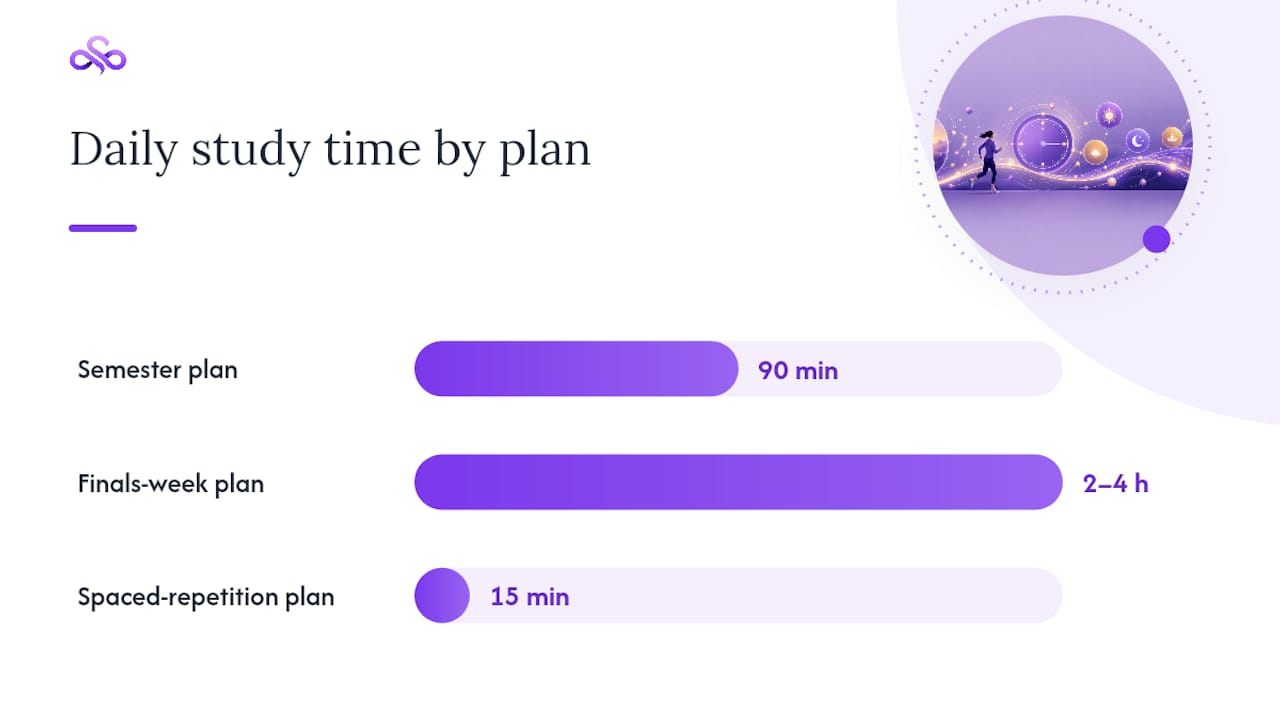
A finals-week (backward) plan starts at the exam date and works backward. Count the days you have left, list what needs coverage, and assign heavier blocks to unfamiliar material. This shape front-loads difficulty early in the week and tapers to light review the day before the test, which matches how combining spaced repetition, time blocking, and interleaving produces the most durable recall under pressure.
A spaced-repetition plan works continuously across a term for material you need to retain long-term, like vocabulary, formulas, or anatomy terms. Short, frequent sessions beat long cram blocks here every time.
| Plan shape | Best for | Daily study time | Activity mix |
|---|---|---|---|
| Semester plan | Ongoing coursework, no imminent exam | 90 min per subject | New material + light review |
| Finals-week plan | Exams within 1 to 3 weeks | 2 to 4 hours, tapering down | Heavy review, then light recall |
| Spaced-repetition plan | Long-term retention (languages, formulas) | 15 min, daily | Short recall drills, no new material near test day |
If you're unsure which shape fits, ask one question: is there a fixed date on the calendar? If yes, back-plan from it. If no, run the semester version.
Manual templates vs. AI-assisted study planners
You have two real paths to a finished schedule: build it yourself, or let software build the first draft for you.
Manual template makers give you a blank weekly or monthly grid you fill in by hand. Tools like Canva's timetable maker let you drag blocks into place and export the result as a .ics, PDF, or CSV file for your existing calendar app. Design-focused options work similarly, prioritizing a clean, printable layout you can personalize with colors by subject. The tradeoff is that once life changes, so does your job of rebuilding the grid.
AI-assisted schedule generators take a different input: your subjects, exam dates, and available hours, and output a day-by-day plan automatically. These tools typically enforce spacing and difficulty curves on their own, easing you into a lighter review day before a major test without you having to plan that manually.
Here's how to decide between them:
- Stable schedule, few deadlines? A manual template is fast and gives you full creative control.
- Multiple classes, shifting deadlines, or a syllabus with a dozen due dates? An AI-assisted planner saves the rebuilding work every time something moves.
- Want both? Start manual for a single week to learn your rhythm, then automate once your workload gets complex.
To import a manual template into Google Calendar or iCal, export as .ics and select "add calendar" from your settings menu. Keep the file editable so you can adjust blocks without starting from scratch.
How do you actually stick to a study schedule?
A schedule you can't follow isn't a schedule. It's a wish list with timestamps. Adherence comes down to five overlapping tactics.
Match tasks to energy, not the clock. Save your hardest material, like new concepts or dense reading, for whenever your energy naturally peaks. Push flashcard review and light rereading into your lower-energy windows.
Give every block a specific, small goal. "Finish problem set 4" beats "study math," every time. On rough days, aim for a minimum viable session: just 10 minutes counts as showing up, and starting with small, sustainable sessions builds the habit of consistency before you scale the length.
Interleave subjects instead of blocking them solid. Mixing problem types within a session feels harder in the moment, but interleaving practice tends to improve long-term retention more than grinding one topic for three straight hours.
Build in real breaks. A 50-minutes-on, 10-minutes-off rhythm (or a shorter Pomodoro cycle) keeps focus from decaying. Leave roughly 20% of your week unscheduled as slack for the inevitable overrun.
Add accountability. A study buddy who checks in, a visible streak tracker, or simply blocking your calendar so others can't book over it all raise the cost of skipping a session.
Pro Tip: Pair your hardest subject with your best time slot for one week straight, then check your completion rate. Most students discover their "focus window" is earlier in the day than they assumed.
How often should you review and adjust your schedule?
Sunday night, set a 10 to 15 minute timer and run through three questions: What did I plan versus what actually happened? What's unfinished and needs reassignment? Have any deadlines shifted?
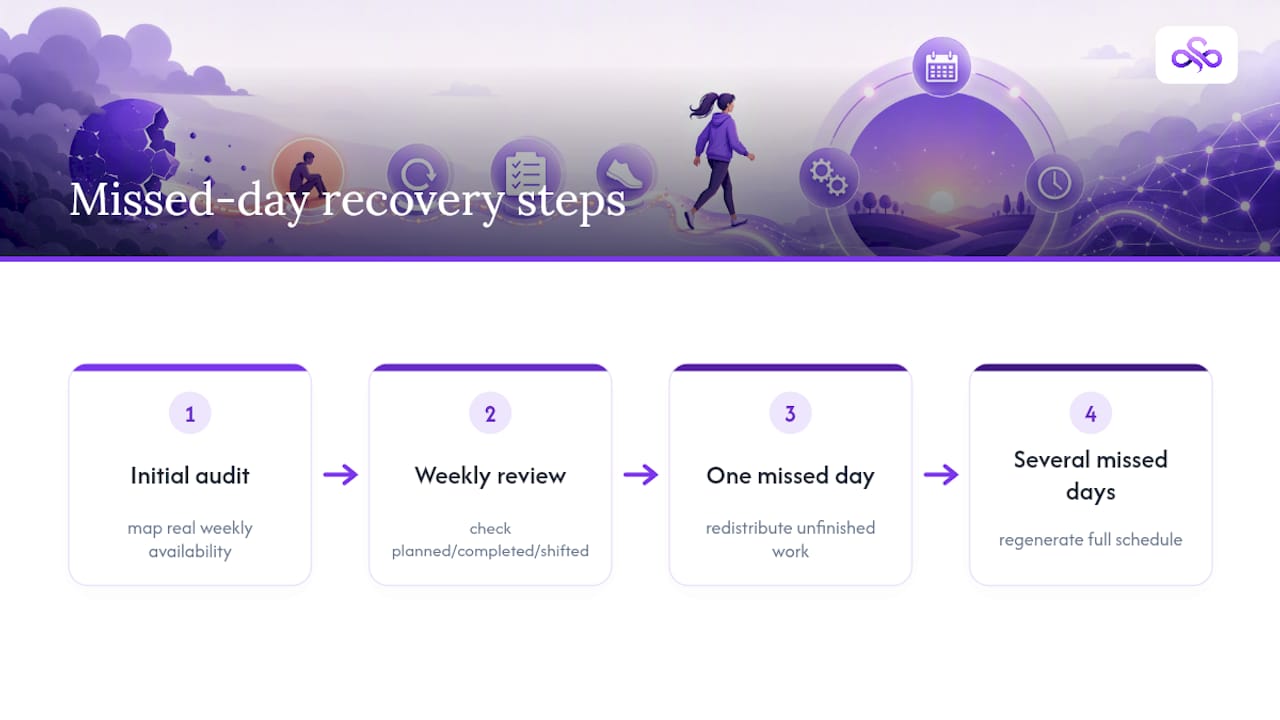
Weekly review keeps a schedule honest, and the threshold for action is simple: miss one day, rebalance the current week. Miss three or more, regenerate the plan from scratch rather than trying to cram everything into what's left.
Track three numbers each week:
- Sessions completed versus sessions planned
- Time actually spent per subject versus your estimate
- A rough confidence score (1 to 5) per subject going into the next week
If a busy week wipes out Tuesday and Wednesday's blocks, don't just tack them onto Thursday. Redistribute across the remaining days based on which deadline is closer, and trim a lower-priority subject's hours instead of overloading a single day.
Why syllabus-to-calendar automation cuts planning friction
Most of the time lost to scheduling isn't the studying. It's the rebuilding. A syllabus changes, a professor moves an exam date, and suddenly your carefully built grid needs an hour of manual patchwork.
Syncronos was built around that exact friction point. Upload a syllabus, checklist, or to-do list, and the syllabus to calendar extraction pulls out assignments and deadlines automatically, turning a document into a working calendar without you retyping a single due date.
The real cost of a manual schedule isn't building it once. It's the ten small rebuilds you do every time a deadline shifts, a class gets canceled, or a new assignment lands mid-week.
When a deadline moves, Syncronos's adaptive rebalancing shifts your study blocks around it instead of leaving you to manually re-sort your week. The AI Study Planner surfaces a prioritized dashboard so you always know your next task, which matters most in weeks with five overlapping deadlines and no obvious starting point.
Common study schedule pitfalls and how to fix them
Most schedules fail for the same handful of reasons, and every one has a straightforward fix.
Overpacking every hour. Scheduling 100% of your available time guarantees failure the first time a class runs long or a friend calls. Plan for roughly 80% capacity, leaving the remaining 20 to 25% as buffer, as recommended by study-schedule guides that track adherence over full semesters.
Vague session labels. "Study history" doesn't tell your brain when to stop. Replace it with a page range, a chapter, or a specific set of practice questions.
Ignoring your own energy patterns. Forcing calculus into your lowest-energy hour just because it's "free" sets you up to reschedule it anyway. Match difficulty to alertness instead.
No recovery plan for missed days. Without a rebalancing rule, one bad day snowballs into an abandoned week. Decide in advance: one missed day gets redistributed, several missed days trigger a full regeneration.
Treating the schedule as fixed once written. A study schedule is a draft, not a contract. Skipping the weekly review is the single most common reason schedules quietly stop working around week three.
Building around wishful thinking instead of your actual week. Skipping the initial audit step means your plan reflects an idealized version of your time, not the real one. Every pitfall above traces back to that first mistake somewhere.
Customizing your schedule for how you actually work
A study schedule copied from someone else's routine rarely survives contact with your real life. The best schedule reflects your own rhythm, not a generic template.
Morning people should front-load the hardest material into the first few hours after waking, saving passive review, like rereading notes or organizing materials, for the afternoon slump. Night owls should flip that structure, protecting late-evening hours for deep work and using midday gaps for lighter tasks.
Visual learners benefit from color-coding blocks by subject or difficulty, turning the calendar itself into a study aid. Verbal or auditory learners often do better assigning specific blocks to reading aloud, recording summaries, or discussing material with a study partner rather than silent review.
If language coursework is part of your load, pinpointing exactly where you're weak before you schedule review time saves hours. Diagnostic approaches like identifying specific grammar weak points let you target 20 minutes of focused drilling instead of an unfocused hour of general review.
Some students focus best in unbroken 90-minute stretches; others burn out past 45. Test both for a week and let your actual completion rate, not a productivity article, decide which one you keep.
Why realistic, adaptive plans beat perfect grids
A beautifully color-coded schedule that assumes zero disruptions is fiction, and most students build one anyway. The mistake isn't ambition, it's treating week one's plan as permanent when the whole point of a schedule is that it flexes with reality.
Automated rebalancing exists precisely because manual rebuilding is where most students quit. A missed deadline shouldn't cost you an evening of recalculating; it should trigger an automatic reshuffle so momentum survives the disruption.
Try one week with a real template and a genuine Sunday review. The habit matters more than the tool.
— Syncronos
Get your schedule built automatically with Syncronos
Skip the hour of manual rebuilding every time a deadline shifts. Syncronos reads your syllabus, checklists, and to-do lists directly, then builds and adapts your calendar as your semester actually unfolds, not as you originally planned it in week one.
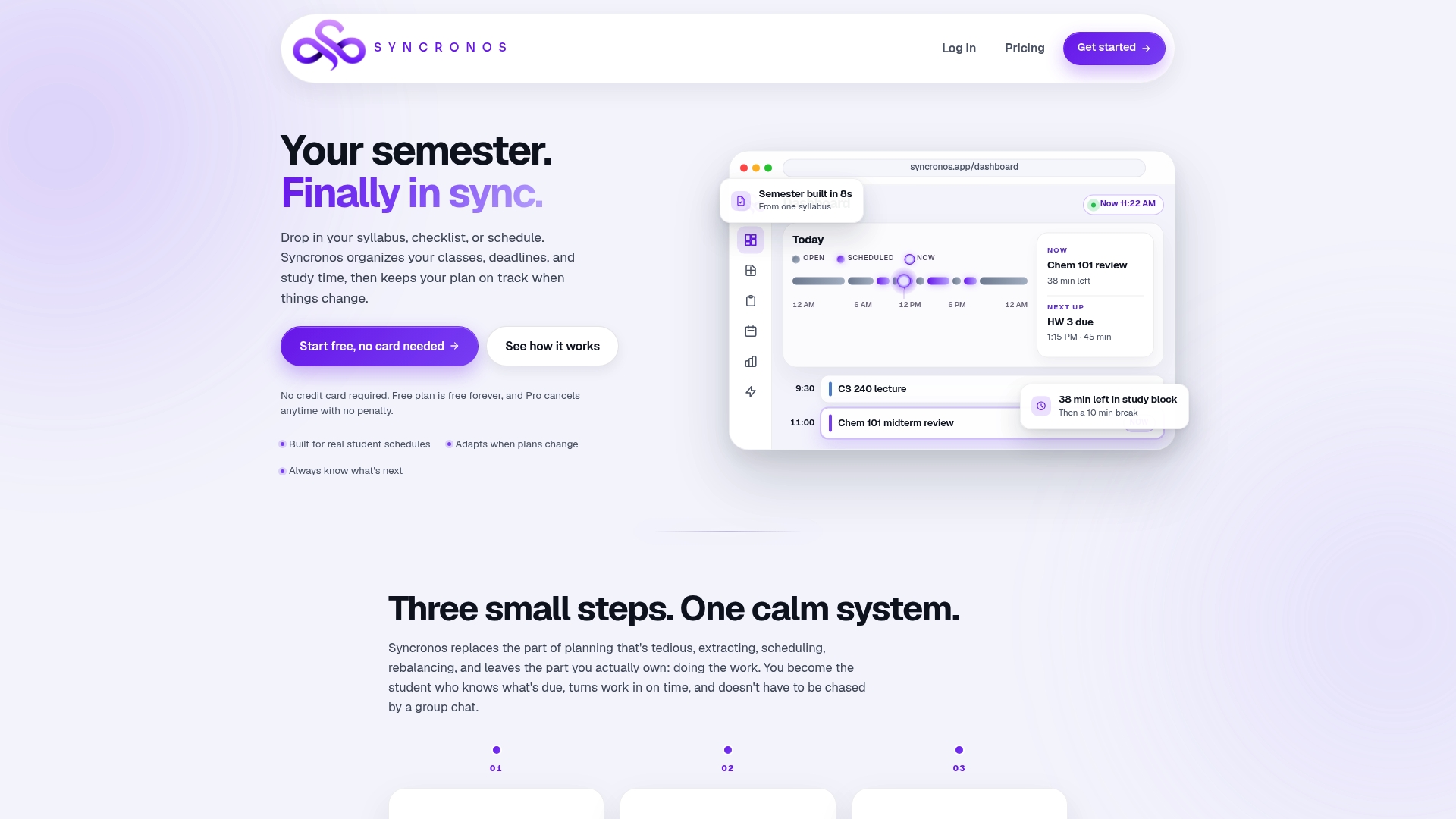
Getting started takes four steps: upload your syllabus, set your exam dates, choose your available daily hours, and let the planner generate a full schedule it keeps adjusting as things change. The free tier covers manual and limited AI-powered planning, and you can compare what unlocks on paid plans on the pricing page. For students juggling problem sets, papers, and reading across several classes at once, the Assignment Planner keeps every due date visible in one prioritized view instead of scattered across syllabi you'd otherwise have to check manually. Upload your first syllabus today and see your semester laid out before your next class starts.
Sources
- Guidelines for creating a study schedule | Cornell Learning Strategies Center
- Stress relief & wellness: Make a study plan | Drexel LibGuides
- Free Online Timetable Maker - Create a Timetable
- How to Create a Study Schedule (5-Step Method That Works) – Athenify
- How to Create a Study Schedule (That You'll Actually Stick To) | Notesmakr