
The fastest way to build a semester that actually holds together is to combine three habits: a macro calendar for deadlines, weekly micro-planning with protected time blocks, and a short weekly review to catch drift early. Layer in Pomodoro-style focus sessions and spaced repetition for retention, and automate syllabus extraction and rebalancing wherever possible. The rest of this guide walks through exactly how.
TL;DR:
- Building a live, adaptable schedule that combines macro and micro calendars ensures better overall planning and avoids last-minute surprises.
- Automating syllabus extraction with tools like Syncronos saves time and maintains plan accuracy when deadlines shift unexpectedly.
- Regular weekly reviews of study blocks and deadlines help prevent drift and keep workload estimates aligned with actual progress.
- Spaced repetition at intervals of 1, 3, 7, and 14 days significantly strengthens long-term retention and exam readiness.
- Planning roughly three study hours per credit hour and constantly rebalancing workload minimizes weekly overloading and enhances learning efficiency.
Table of Contents
- How to Build an Online Class Schedule Plan Step by Step
- Why You Need Both a Macro and a Micro Calendar
- How Should You Structure Study Time With Pomodoro and Spaced Repetition?
- How Do You Prioritize Tasks Without Overloading Any One Week?
- How Can Automation Take the Manual Work Out of Scheduling?
- What Belongs in Your Weekly Review Routine?
- Why Planning Is a Skill, Not a Personality Trait
- Try Syncronos to Automate Your Syllabus-to-Calendar Planning
- Sources
- FAQ
How to Build an Online Class Schedule Plan Step by Step
Most online class schedule plans collapse not because students are lazy, but because they build the plan once in August and never touch it again. A workable plan is closer to a living document than a one-time project, and university time management research backs that up directly: Penn LPS Online frames weekly planning and forecast adjustments as skills that improve over a term, not a task you finish once.
Here's the sequence that works:
- Extract every deadline from every syllabus. Pull exam dates, paper due dates, project milestones, and quiz windows into one list before the second week of class.
- Build a macro calendar. Plot every major date across the full term so you can see clusters coming from weeks away.
- Estimate your workload. Decide how many study hours each credit hour actually demands, then block that time across the weeks ahead of each deadline.
- Create weekly micro calendars. Break the macro view into daily study blocks, readings, and Pomodoro sessions for the week directly in front of you.
- Layer in fixed commitments and check for conflicts. Add work shifts, family obligations, and recurring meetings, then finalize a daily routine that actually fits your life.
Checking your learning management system, whether that's Canvas or Blackboard, on a fixed daily schedule also matters here. UWW's time management guide notes that a consistent login habit cuts down on missed announcements and last-minute deadline surprises.
Why You Need Both a Macro and a Micro Calendar
A single calendar view can't do two jobs at once. You need distance to see the semester coming and detail to execute the week you're in, which is why UCF Online's time management guide recommends keeping both a macro-level monthly view and a micro-level weekly view running side by side.
Your macro calendar should hold only the things that shape the whole term:
- Every exam date and paper deadline pulled from each syllabus
- Project milestones and group deliverables
- Blocked-off periods like travel, breaks, or work-heavy weeks
Your micro calendar handles the week itself:
- Daily study blocks tied to specific readings or problem sets
- Class meeting times and any required synchronous sessions
- Commute or transition buffers between obligations
The syncing rule is simple: the moment a deadline appears on a syllabus, it goes on the macro calendar. Every Sunday, whatever falls in the coming seven days moves onto the micro calendar with specific times attached. A digital calendar with color-coding by course works well for most students, though a paper planner does the same job if you're more of a pen-and-paper thinker.
How Should You Structure Study Time With Pomodoro and Spaced Repetition?
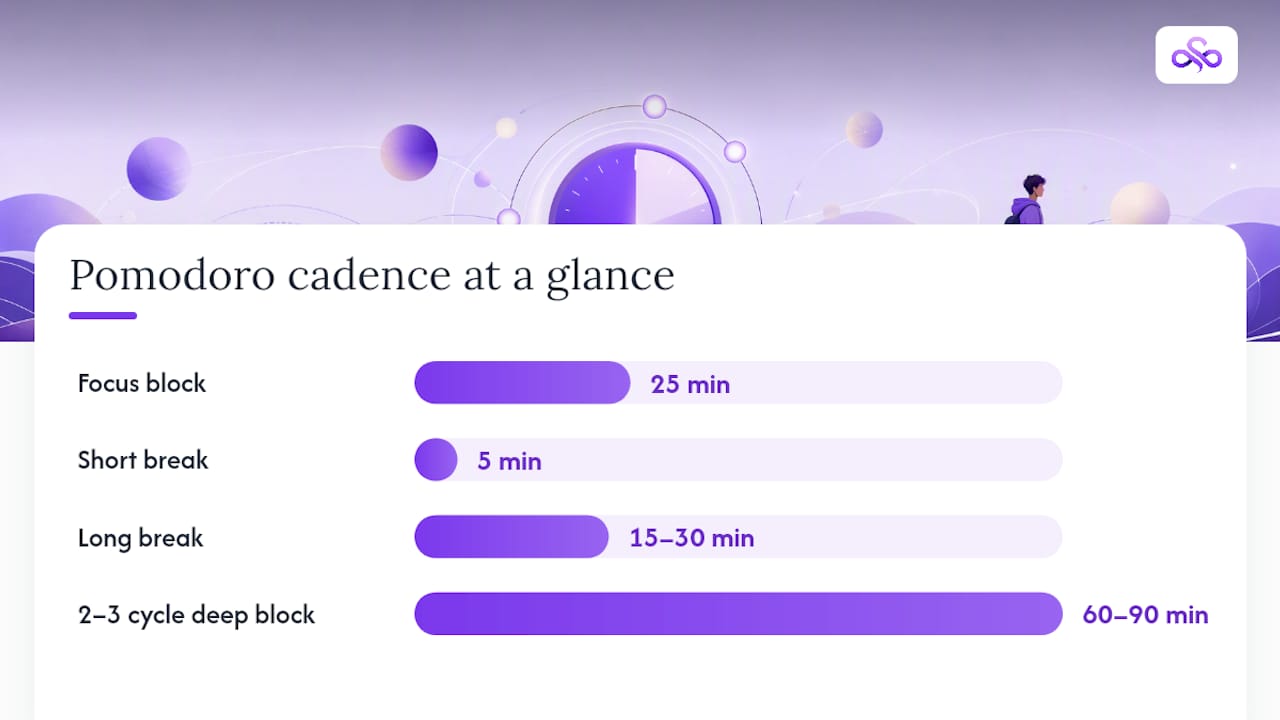
Time-blocking only works if the blocks are realistic, and the Pomodoro technique gives you a rhythm that's hard to abandon halfway through. The standard cadence is 25 minutes of focused work followed by a 5-minute break, stacked three or four times before a longer 15 to 30 minute break.
Pro Tip: Treat each study session like a scheduled appointment with a real start and end time. Once a block ends, close the laptop and step away. Letting academic work bleed into personal time is one of the fastest routes to burnout.
A few rules make this stack work in practice:
- Stack two to three Pomodoro cycles for a 1 to 1.5 hour deep work block, or four to six for heavier material.
- Schedule your hardest coursework during your natural peak alertness window, whether that's early morning or late evening.
- Push lighter tasks like reading discussion posts or organizing notes into your low-energy hours.
- Reserve dedicated spaced-repetition sessions before exams instead of cramming the night before.
That last point matters more than most students realize. Birmingham City University's research on spaced repetition shows that revisiting material at intervals of roughly 1, 3, 7, and 14 days builds stronger long-term retention than a single marathon review. Scheduling those four touchpoints on your micro calendar, right after you first learn the material, does more for exam performance than any single all-nighter.
How Do You Prioritize Tasks Without Overloading Any One Week?
An urgency and importance matrix gives you a fast way to sort a messy task list into four honest buckets, instead of tackling whatever feels loudest that day.
- Urgent and important: Tomorrow's quiz, a paper due in 48 hours.
- Important but not urgent: Studying for an exam three weeks out, starting research for a term paper.
- Urgent but not important: A low-stakes discussion post due tonight.
- Neither urgent nor important: Optional readings, extra credit you don't need.
The quadrant only helps if your workload estimates are realistic to begin with. A widely used heuristic among academic advisors is roughly 3 study hours per credit hour, so a 4-credit course reasonably demands about 12 hours of study per week outside class time.
Once you know that number, work backward from each deadline. A 12-page paper due in three weeks doesn't need to happen in week three. Split it into research, outline, drafting, and revision, and spread those pieces across all three weeks so nothing bunches into a single brutal stretch right before the due date.
How Can Automation Take the Manual Work Out of Scheduling?
Building a schedule by hand from six syllabi is tedious, and it's exactly the kind of repetitive extraction work that professional simulator training software handles better than a person with a highlighter. Automated planners can pull dates directly out of a syllabus, estimate study time per assignment, generate study blocks automatically, and rebalance the whole plan the moment something changes, like a professor pushing an exam back a week.
That last capability is the one that matters most. A class schedule planner built around real workload sequences heavy courses and inserts study blocks ahead of each assignment specifically so the plan still holds past the point where most manual schedules fall apart, usually around week three.
Before trusting any tool with your semester, run it through a short checklist:
- Does it import directly from a syllabus, or do you still have to type in every date?
- Does it support a study-hours-per-credit model, or does it treat every course as equal weight?
- Can it schedule spaced-repetition reviews automatically, not just single deadlines?
- Does it rebalance the whole schedule when one thing shifts, or do you have to manually fix every downstream block?
- Can you still edit anything by hand when the automation gets something wrong?
Syncronos approaches this by extracting tasks and deadlines straight from uploaded syllabi and checklists, then adjusting study blocks automatically as your semester changes. The safest way to experiment with any automated planner, Syncronos included, is to start by manually verifying the auto-imported dates against your actual syllabus before you turn on full auto-rebalancing.
What Belongs in Your Weekly Review Routine?
A 20 to 30 minute review at the same time every week is what keeps your online class schedule plan accurate instead of aspirational. Boise State's time management guidance for online students points to this kind of weekly check-in as one of the most reliable ways to avoid last-minute stress.
- Scan every syllabus and LMS announcement for anything that changed since last week.
- Compare your study-hour estimates against reality. If a reading took twice as long as planned, adjust next week's blocks instead of pretending it won't happen again.
- Move blocks, not rest days. If something needs to shift, protect your recovery time first and reshuffle study blocks around it.
- Trigger a full replant when something big happens. A new course added late, a major deadline moved by two weeks, or a job schedule change all justify rebuilding the macro calendar from scratch rather than patching around the edges.
Why Planning Is a Skill, Not a Personality Trait
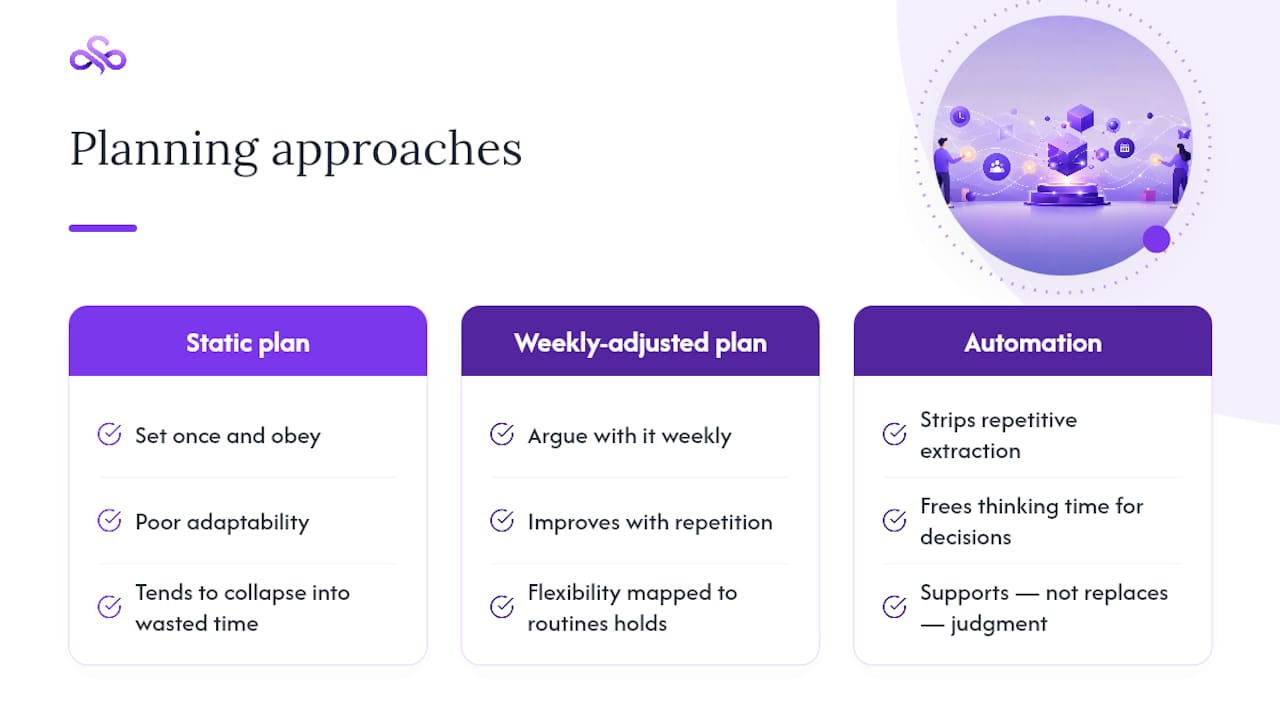
Students often treat scheduling ability as something you either have or don't. It isn't. It's closer to a muscle that gets stronger with repetition, the same way research on online learner habits shows that flexibility without structure tends to collapse into wasted time, while flexibility mapped onto consistent routines tends to hold.
What we'd push back on is the idea that a "good" plan is a static document you set once. The students who actually finish strong are the ones who treat their schedule as something to argue with weekly, not something to obey blindly. That's also where automation earns its place: not as a replacement for planning judgment, but as a way to strip out the repetitive extraction and rebalancing work so your actual thinking time goes toward decisions that matter.
— Syncronos
Try Syncronos to Automate Your Syllabus-to-Calendar Planning
Syncronos is built for the exact bottleneck this guide just walked through: turning six syllabi and a messy to-do list into one calendar without spending your Sunday retyping dates by hand.
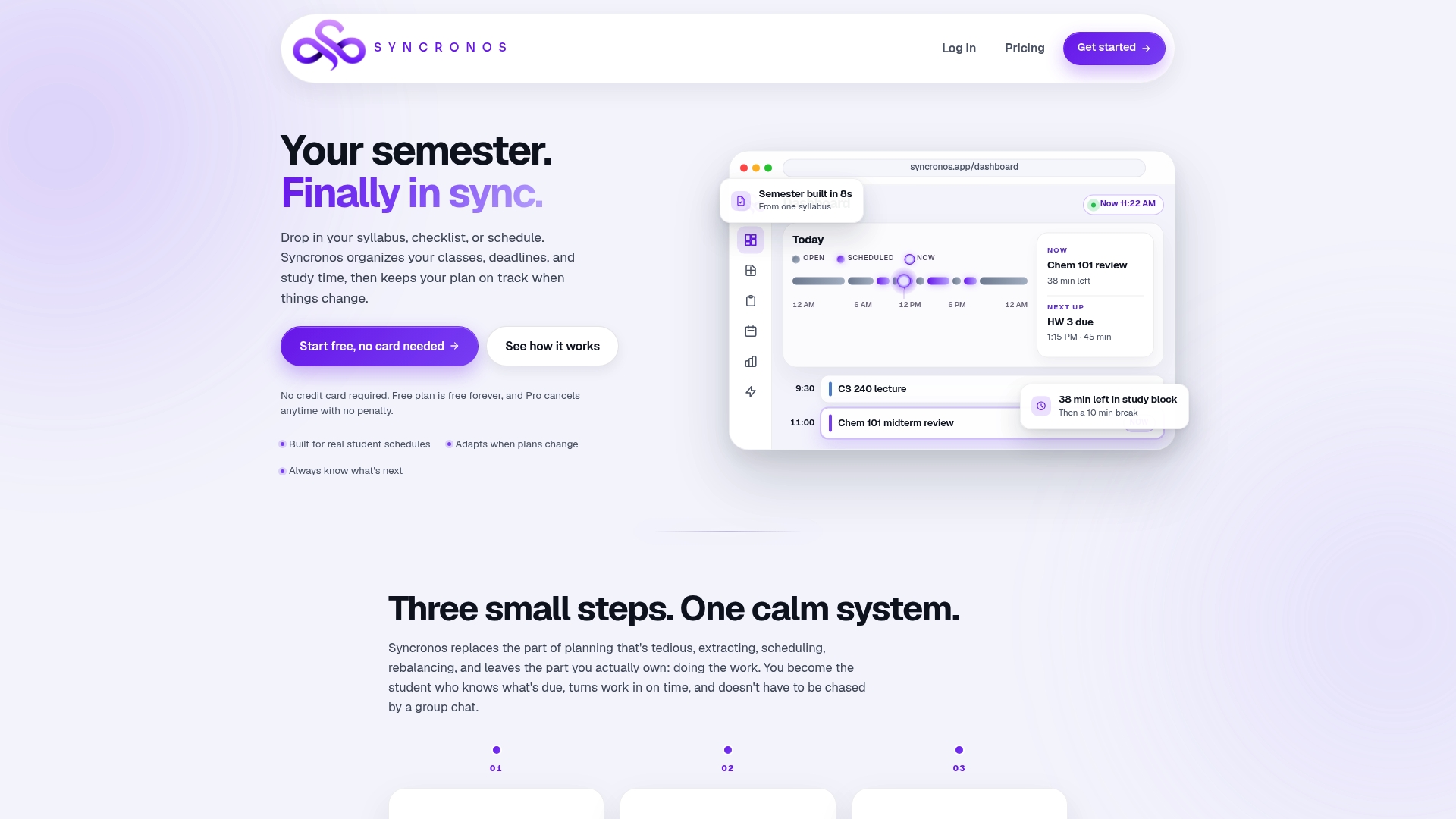
Upload your syllabi and Syncronos extracts deadlines, exams, and project milestones automatically, then builds study blocks around them using the same study-hours-per-credit logic covered above. When a professor shifts an exam date or adds a new assignment, Syncronos rebalances the affected blocks instead of leaving you to manually untangle the ripple effect across three weeks of your calendar. You can start on the Free plan to test manual and limited AI-powered planning, or move to the Monthly plan at $8.99 per month or the Yearly plan at $55.99 per year for unlimited AI schedule generation, workload forecasting, and adaptive rescheduling. During a trial, focus on verifying your first auto-imported syllabus against the real document, then turn on auto-rebalance and see how it handles the next syllabus change on its own.
Sources
- Time management for online students: The secret to building habits that last | Penn LPS Online
- Time Management for Online Students | UCF Online
- Study time recommendations | Humboldt
- Spaced repetition | Birmingham City University (BCU)
- 7 Time Management Tips for Online Students | Boise State Online
FAQ
How Many Study Hours Per Credit Should I Plan For?
A common heuristic used by academic support centers is about 3 study hours per credit hour, so a 4-credit course typically needs roughly 12 hours of study time per week outside class.
What's the Difference Between a Macro and Micro Calendar?
A macro calendar tracks the whole semester at a monthly level, showing exams, papers, and major deadlines, while a micro calendar breaks the coming week into specific daily study blocks. UCF Online recommends running both together rather than relying on one view alone.
How Often Should I Review My Online Class Schedule?
Plan on a 20 to 30 minute review once a week, checking syllabi and LMS announcements for anything that changed. Boise State Online points to this habit as one of the more reliable ways to avoid last-minute deadline stress.
Can Syncronos Build My Schedule From My Syllabus Automatically?
Yes. Syncronos extracts deadlines and tasks directly from uploaded syllabi and checklists, then builds a calendar and rebalances study blocks automatically when your plans change.
How Much Does Syncronos Cost?
Syncronos offers a Free plan with limited manual and AI planning features, a Monthly plan at $8.99 per month, and a Yearly plan at $55.99 per year for unlimited AI-powered scheduling and forecasting.