

Do a two-hour Master Deadline Dump during syllabus week and build a one-page semester-at-a-glance from it. From there, three techniques carry you through the term: collision spotting, ghost deadlines (a 48-hour buffer before real due dates), and a weekly triage session. Lean on your academic advising office, borrow structure from the Pomodoro Technique, and consider a tool that can handle the busywork of updating the plan as things shift.
TL;DR:
- Scheduling a two-hour deadline dump and creating a semester-at-a-glance helps identify heavy weeks and allocate milestones ahead of deadlines.
- Flag weeks with three or more major deadlines within 48 hours and set ghost deadlines 48 hours early to prevent last-minute rushes.
- Maintaining a weekly Sunday triage, daily check-ins, and Pomodoro sessions ensures ongoing plan accuracy and prevents burnout throughout the semester.
- Automating syllabus data entry with tools like Syncronos reduces manual workload but still requires weekly manual review and advisor input.
- Starting with around 13 to 14 units and building in recovery weeks minimizes overload and supports sustainable study habits.
Table of Contents
- Semester Planning Tips You Can Follow in Order
- Plan by Horizon: Semester, Week, and Day
- How to Spot and Defuse Collision Weeks
- Study Routines That Survive Contact With a Real Semester
- Where Advising and Simple Tools Fit In
- What Automated Syllabus-to-Calendar Tools Change
- Why the Two-Hour Setup Beats Constant Fiddling
- Try a Faster Way to Build Your Semester Calendar
- Sources
- FAQ
Semester Planning Tips You Can Follow in Order
Semester planning works best as a sequence, not a mood. Each step below builds on the last, and none of them require more than an evening to complete.
- Run the Master Deadline Dump. Open every syllabus and copy each graded item, its due date, and its percentage weight into a single chronologically sorted list or spreadsheet. This is the foundation for everything else, and it is the exact practice NIU's academic support office recommends to prevent students from treating a 1% weekly quiz with the same urgency as a 30% research paper.
- Layer in your actual life. Add class meeting times, work shifts, practice schedules, and recurring commitments to the same calendar. Mark all-day travel, family obligations, and anything fixed. A calendar that only shows academic deadlines gives you a false sense of free time.
- Flag heavy weeks before they hit you. Scan the combined list for weeks where three or more major items land within 48 hours of each other. For any major project with significant weight, backdate a start milestone and set a ghost deadline, a personal cutoff ahead of the real one, so a printer failure or a sick day doesn't turn into a missed grade.
- Set a sane unit load. If you're new to upper-division coursework or transferring in, advising offices commonly suggest starting around 13 to 14 units rather than maxing out your schedule in the first heavier semester. Build at least one lighter week into the term for recovery, not just crunch.
- Install a weekly rhythm. A 15-minute Sunday triage keeps the plan honest, and short daily check-ins keep you from losing a whole afternoon to "what's due this week?" panic. Use Pomodoro sprints for reading and problem sets, and reserve longer, uninterrupted blocks for writing or lab work that doesn't survive interruption well.
Plan by Horizon: Semester, Week, and Day
Good academic planning strategies operate on three timescales at once, and each one produces a different artifact.
- Semester view: a one-page calendar showing every graded event, flagged heavy weeks, and backdated milestones for anything that takes more than a week to complete. Princeton's McGraw Center calls this a semester-at-a-glance, and it's the single fastest way to spot your busiest and slowest stretches before they surprise you.
- Weekly plan: a recurring template that blocks study hours per course, marks tutoring or group work sessions, and reflects whatever the semester view says is coming up.
- Daily execution: a short list, prioritized by grade weight rather than by whatever feels most urgent that morning, worked in Pomodoro or time-blocked sessions, with a two-minute evening review to note what shifted.
Skipping any one of these levels is where semester planning usually falls apart. Students who only keep a daily to-do list get blindsided by projects they never zoomed out far enough to see coming.
How to Spot and Defuse Collision Weeks
Collision weeks, stretches where several major deadlines converge, are the single biggest threat to an otherwise solid plan. Catching them early is mostly a matter of doing three steps in order.
- Step 1: Go syllabus by syllabus and copy every graded item, its date, and its weight into one master list. Don't skip anything, even quizzes that feel minor now.
- Step 2: Scan that list for any 48-hour window containing three or more heavy items. Mark those as collision weeks the moment you spot them, not the week they arrive.
- Step 3: For major projects, move your working start date back two weeks and set a ghost deadline 48 hours before the actual due date. Add a short contingency note for anything where a professor has offered extensions before.
Pro Tip: Write the ghost deadline directly on your calendar in a different color than the real due date. Seeing both side by side is what actually changes behavior, a mental note rarely does.
Study Routines That Survive Contact With a Real Semester
A calendar only works if the habits behind it are sustainable, which means building in Pomodoro sessions, protected rest, and a recurring checkpoint.
- Use Pomodoro sprints for reading, review, and problem sets; reserve longer blocks for writing, coding, or lab work that loses momentum every time you stop.
- Pick at least one evening or full day each week and treat it as off-limits for academic work. Advising guidance points to this kind of pre-decided rest as one of the more reliable ways to avoid the low-grade burnout that creeps in around week seven or eight.
- Run the Sunday triage: 15 minutes to reassign effort based on grade weight, check for any syllabus updates from the past week, and re-export your calendar if anything moved. A weekly Sunday triage is consistently cited as the habit that keeps a plan current without turning into a second job.
Where Advising and Simple Tools Fit In
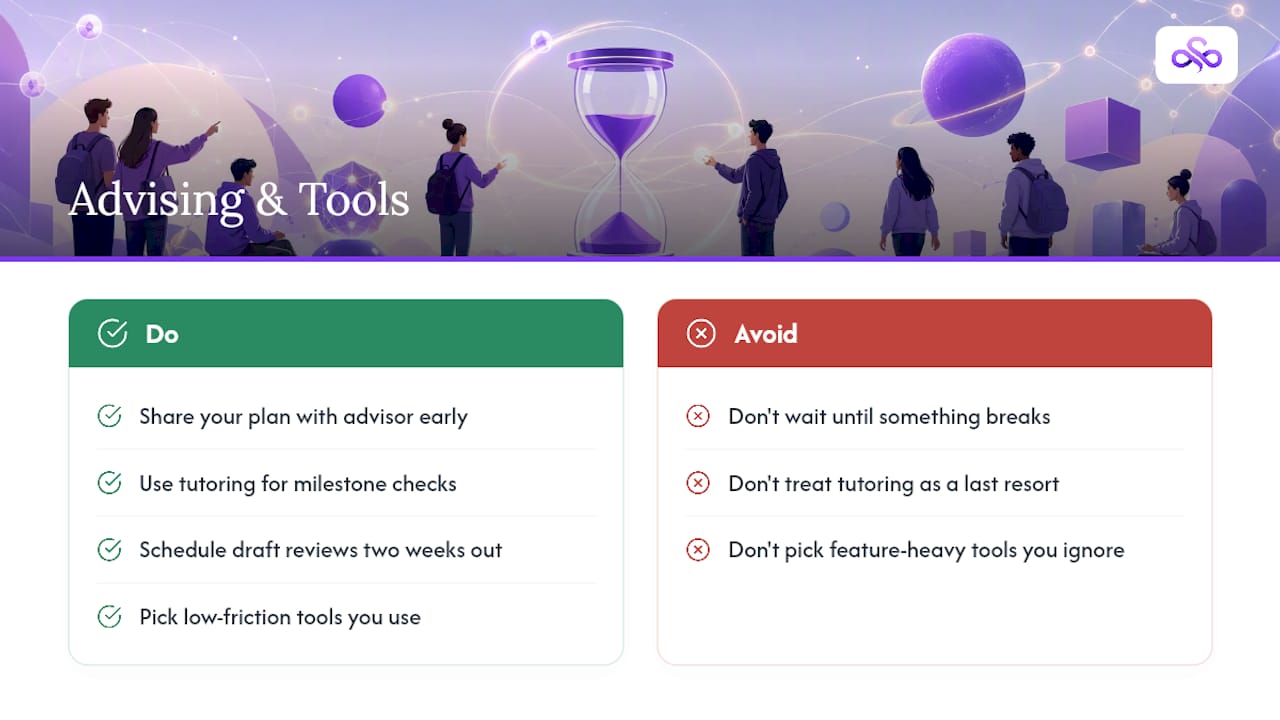
Your academic advisor should see your plan before the semester gets busy, not after something goes wrong. Harvard's advising resources frame this as an ongoing conversation: advisors validate prerequisites, check graduation pacing, and catch conflicts you can't see from inside your own schedule.
Campus writing centers and tutoring services work best at milestone stages, a rough draft review two weeks out, a problem set check before it's due, rather than as a last resort at midnight. For the tools themselves, low-friction options tend to win: Google Calendar, a shared spreadsheet, a Notion template, or a printed semester-at-a-glance sheet you tape above your desk. The best system is the one you'll actually open on a Tuesday, not the one with the most features.
What Automated Syllabus-to-Calendar Tools Change
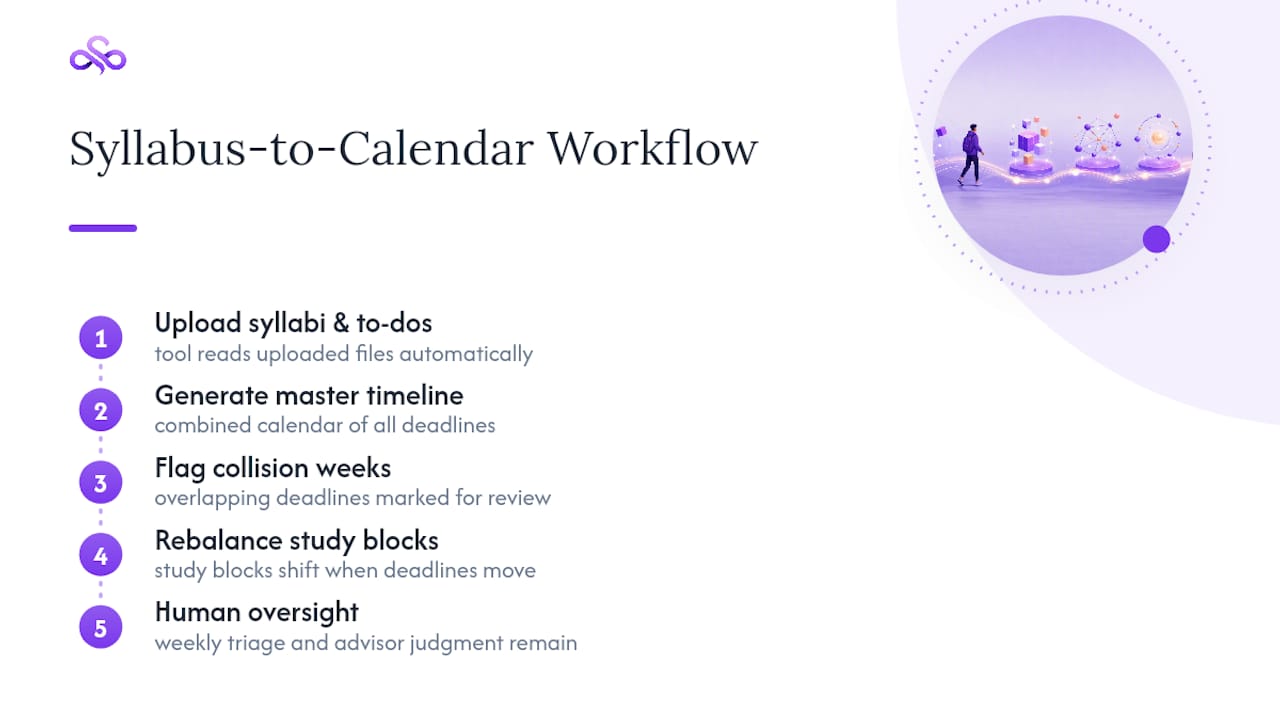
A tool like Syncronos reads uploaded syllabi and to-do lists, then builds a combined calendar automatically instead of you retyping fifteen due dates by hand. The workflow runs simply: upload syllabi, get a master timeline, see collision weeks flagged, and let study blocks rebalance when a deadline moves. That cuts real maintenance time, but it doesn't replace the weekly triage or your advisor's judgment on degree pacing. Automation handles the busywork; you still make the calls.
Why the Two-Hour Setup Beats Constant Fiddling
The two-hour Master Deadline Dump plus a 15-minute Sunday triage outperforms almost every more elaborate system I've seen students attempt, mainly because it asks so little of you on an ongoing basis. Plans change. Professors move deadlines, group projects fall apart and reform, and that's fine. Small weekly corrections keep a semester plan alive far better than a beautiful system built once and abandoned by October.
— Syncronos
Try a Faster Way to Build Your Semester Calendar
Manually retyping every due date from six syllabi into a calendar is exactly the kind of task worth automating. Syncronos is built for that first step: it converts uploaded syllabi and to-do lists into one combined calendar and flags overlapping deadlines automatically, instead of you cross-referencing PDFs by hand. Where most planning apps ask you to enter everything yourself, such tools extract it for you, then rebalance your study blocks when a due date shifts.
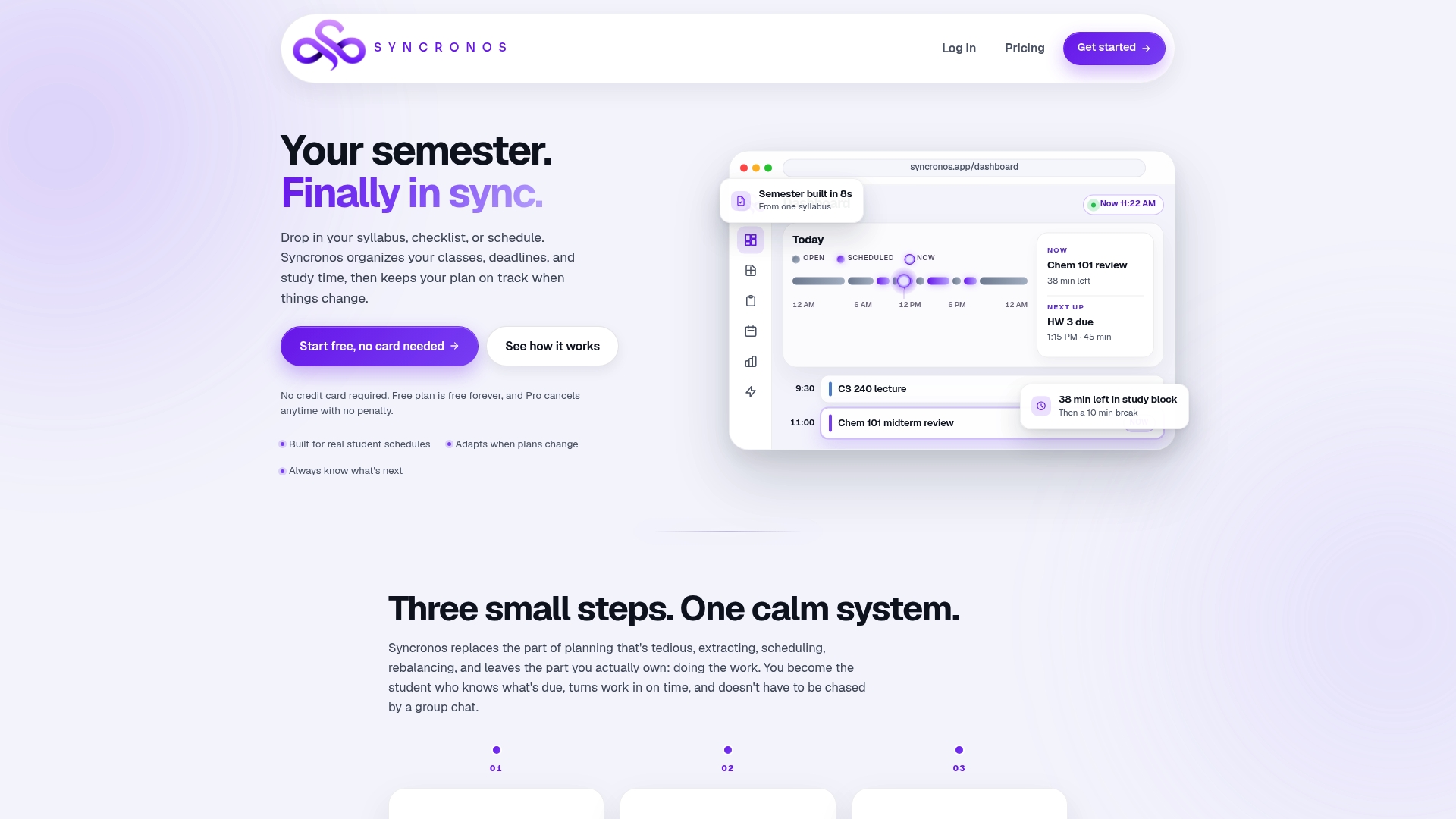
If you want to skip the manual dump entirely, try the Syllabus to Calendar tool with your first syllabus this week and see the combined timeline it produces before your next class.
Sources
- Using calendars and planners (NIU academic support)
- Advisor toolbox: interventions (University of South Carolina advising)
- Semester planning and time management (Princeton McGraw Center)
FAQ
How do I plan for a semester?
Start with a two-hour Master Deadline Dump that pulls every graded item and its weight from your syllabi into one list, then build a one-page semester-at-a-glance and back it up with a weekly Sunday triage.
What are the 5 C's of college choice?
That framework usually refers to factors like cost, campus, curriculum, culture, and career outcomes when choosing a school, not a semester planning method, so it doesn't map directly onto weekly academic scheduling.
What is the toughest year in college?
There's no single official answer, but many students report the first year and the year they take on their heaviest upper-division course load as the hardest, largely due to unfamiliar workloads colliding without a tested planning system yet in place.
What are effective study methods for a busy semester?
Techniques like Pomodoro sprints for reading and problem sets, longer blocks for writing or labs, spaced review instead of cramming, and a weekly triage to catch changes early tend to hold up best across a full term.
Can an app really replace manual semester planning?
A tool like Syncronos can cut down the manual entry and rebalancing work significantly, but it works best alongside your own weekly check-ins and regular conversations with your academic advisor, not as a full replacement for either.