

A student time audit is a structured log of everything you do across a set stretch of hours, usually mapped against a full 168-hour week. It exists to show where your time actually goes instead of where you assume it goes, and the payoff is concrete: real numbers you can use to build a weekly plan that doesn't collapse by Wednesday. Many students find the difference between their planned schedule and actual time use is larger than expected, contributing to the planning fallacy.
TL;DR:
- Conducting a full week audit helps identify actual time spent on classes, work, and personal activities, revealing discrepancies from your planned schedule.
- Use 24, 72, or 168-hour periods based on your goals, with shorter audits offering quick insights before committing to a full week.
- Log activities in 30 to 60-minute blocks, tagging categories consistently and noting energy levels to detect patterns affecting focus and productivity.
- Compare your actual study hours against the 2:1 study rule to identify gaps, and adjust your schedule to match your energy peaks and workload demands.
- Turn audit findings into a flexible, adaptive weekly plan with tools like Syncronos, which automatically updates schedules based on your real-time data.
Table of Contents
- What Counts as a Student Time Audit?
- How Do You Run a Student Time Audit Step by Step?
- How Do You Analyze Your Time Audit Data?
- Common Audit Findings and Fixes That Actually Work
- Turning Your Audit Into a Realistic Weekly Schedule
- Why We Think Every Student Should Treat Auditing as an Experiment
- Let Syncronos Turn Your Audit Into an Adaptive Schedule
- Sources
- FAQ
What Counts as a Student Time Audit?
A full audit tracks all 168 hours in a week, the same framing academic advising centers use when they hand out weekly grids. That total matters because it forces you to see sleep, class, commute, and screen time on the same ledger, rather than treating study hours as the only thing worth counting.
If 168 hours feels like too much to commit to on your first try, start smaller. A 24 hour or 72 hour mini-audit still surfaces real patterns and takes far less willpower to finish.
- 24 hours: good for a single gut-check on a typical weekday
- 72 hours: captures a weekday, a lighter day, and a weekend day
- 168 hours: the full picture, best once you've done a shorter version first
Academic advisors often use the 2:1 study rule as a benchmark, two hours of independent study for every credit hour of class, and flag roughly 65 combined hours per week of class, work, and study as the point where burnout risk climbs. Treat your own audit as data collection, not a report card. Judging every entry defeats the purpose before you've even finished logging.
How Do You Run a Student Time Audit Step by Step?
Running an audit isn't complicated, but skipping the setup step is the main reason most students abandon theirs by day two.
- Pick your timeframe. Commit to 24, 72, or 168 hours, and write the start and end time down so you don't drift.
- Build your tracker. A simple grid works fine, columns for time blocks, rows for hours, one page. If paper isn't your thing, any notes app or a basic spreadsheet does the same job.
- List your fixed commitments first. Classes, work shifts, and recurring obligations go in before you track anything else, since these anchor the rest of your week.
- Log every 30 to 60 minutes. This interval, recommended by Stanford's Center for Teaching and Learning, is tight enough to catch real patterns without turning the audit into a full-time job itself.
- Tag each entry with a category. Use consistent labels: academics, commute, chores, screens, sleep, social, breaks. Consistency here is what makes the totals meaningful later.
- Note your energy level, not just the activity. A quick high, medium, or low rating next to each entry tells you when you're actually sharp versus when you're just present.
- Review daily, even briefly. A 5-minute end-of-day scan catches missed entries while they're still fresh in memory.
You don't need perfect precision. Round to the nearest 15 minutes, use a phone timer if start and stop times slip your mind, and check a box instead of writing a sentence when you're pressed for time.
Pro Tip: Keep your tracker open in a pinned browser tab or on your phone's home screen. The single biggest reason audits fail is not laziness, it's simply forgetting to log before the moment passes.

How Do You Analyze Your Time Audit Data?
Raw logs are just numbers until you total them up. Start by adding up hours per category across your tracked period, then calculate your average session length for study blocks and how much time got lost to transitions between tasks.
From there, compare your actual study hours to your intended target using the 2:1 rule. If you're carrying 15 credit hours, that rule suggests roughly 30 hours of independent study weekly, so line your real total up against that number and see how far off you landed.
Time management has a measurable, statistically significant effect on academic engagement, with one analysis reporting a total effect of β = 0.399. That's a strong signal that the hours you recover through an audit aren't just administrative housekeeping. They connect directly to how engaged you stay in your coursework.
Look for patterns beyond the totals:
- Which hours of day show consistently low energy ratings?
- Where do "quick breaks" repeatedly stretch into 45-minute detours?
- Which classes eat more prep time than their credit hours suggest?
- Does your weekend actually recover energy, or just fill up with chores?
Common Audit Findings and Fixes That Actually Work
Certain patterns show up in nearly every student audit, and each has a fix that doesn't require overhauling your personality.
- Planning fallacy: You consistently underestimate how long tasks take. Fix it by using your own tracked averages, not optimistic guesses, to plan future weeks.
- Digital distraction: Phone checks fragment study blocks into useless fifteen-minute chunks. Put the phone in another room, or use an app timer that blocks notifications during set windows.
- Fragmentation: Constant task-switching adds hidden overhead. Batch similar work, all reading in one sitting, all emails in another, and build in buffer time between blocks.
- Energy mismatch: Scheduling calculus review for 9 PM when your energy log shows you're sharpest at 10 AM wastes your best hours on the wrong task. Match high-focus work to your peak windows and save routine tasks for the dips.
Turning Your Audit Into a Realistic Weekly Schedule
Audit data only pays off once you use it to rebuild your week. Here's a workable sequence.
- Rank commitments by credit load and deadlines. Heavier courses and closer due dates get first claim on your best hours.
- Apply the 2:1 rule as a starting allocation, then adjust up or down based on what your audit actually showed for each subject. A reading-heavy course typically needs longer, uninterrupted blocks, while a problem-set-heavy course does better with shorter, more frequent sessions.
- Time-block with buffers built in. Add 15 minutes around commutes and transitions, since your audit likely revealed those eat more time than you assumed.
- Protect a recovery block. Even one unscheduled evening reduces the odds you abandon the whole plan by week two.
- Check in weekly and re-audit monthly. A quick Sunday review catches drift early; a full 72-hour re-audit once a month keeps your estimates honest as coursework shifts.
Say your audit showed Tuesdays losing two hours to social media between classes. The fix isn't cutting social time entirely, it's moving your hardest study block earlier, before the scroll habit kicks in, and shrinking the gap between classes where the drift happens.
Why We Think Every Student Should Treat Auditing as an Experiment
Most students only audit their time once, usually during a stressful week, then quietly abandon it. That's the wrong lesson to take from the exercise. An audit is a snapshot of a single stretch of behavior, not a verdict on your character, and the schedule you build from it should be treated the same way: a working draft you revise as coursework and energy shift.
Some student planning tools are built around that idea. Instead of a static plan that ignores reality, adaptive scheduling means the calendar keeps adjusting as your actual week diverges from your intended one, which is exactly what a good audit teaches you to expect.
— Syncronos
Let Syncronos Turn Your Audit Into an Adaptive Schedule
Running the audit is the hard part. Turning that log into a workable calendar without spending another hour on spreadsheets is where Syncronos picks up the slack. Upload syllabi, checklists, or to-do lists, and this kind of planner extracts deadlines and study blocks automatically, then rebalances them the moment your week changes, a missed session, an added assignment, a shifted exam date.
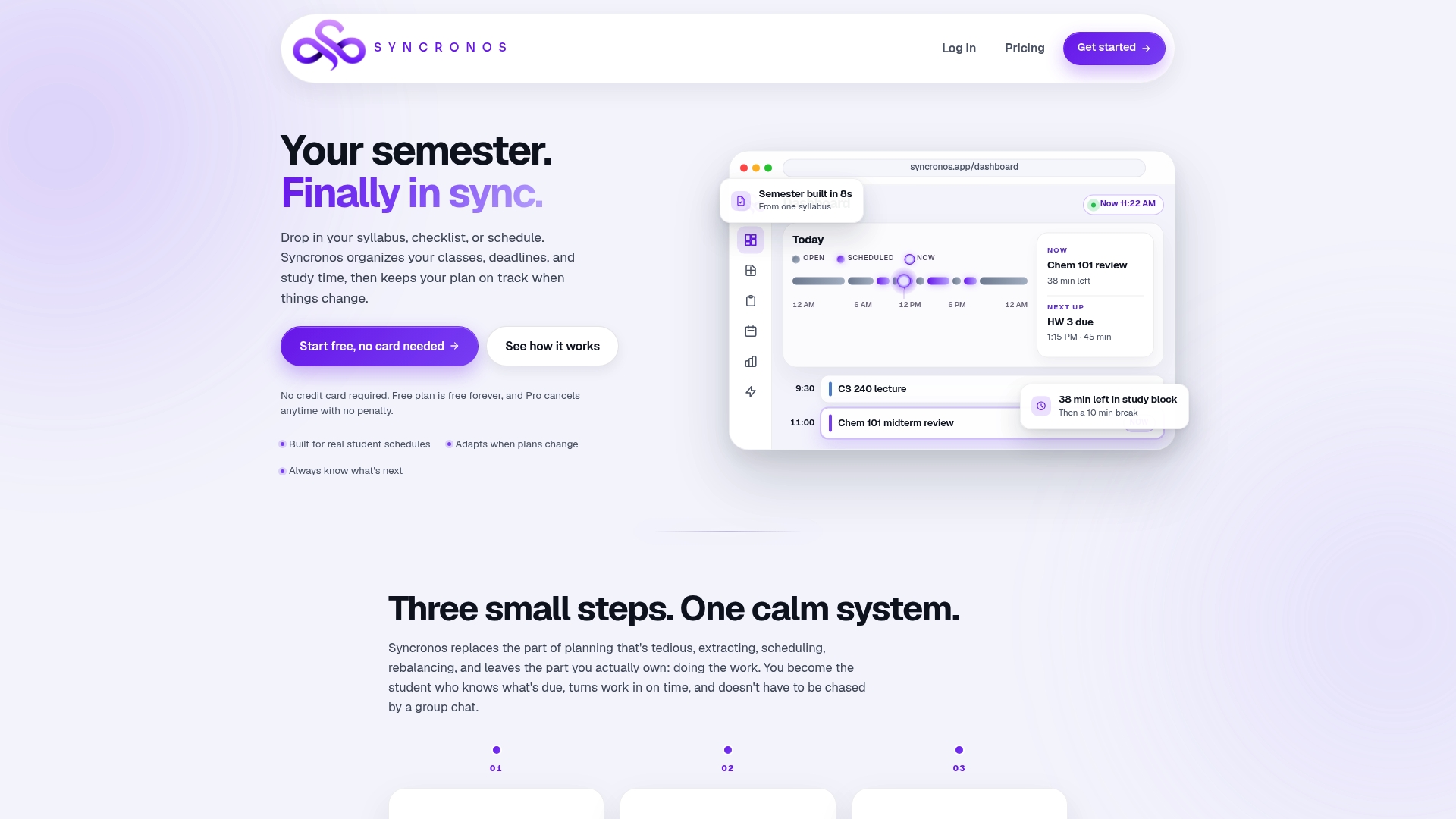
That's the real advantage over rebuilding your own grid by hand every week: Syncronos keeps your plan current without you re-entering data or re-negotiating your own calendar every time something moves. The syllabus-to-calendar feature handles the import, and the exam study planner applies audit-informed study ratios automatically once your workload is mapped.
Run a 72-hour audit this week, then bring those findings into Syncronos to see how they translate into a live schedule. The Free plan covers limited manual and AI-powered planning at no cost, while the Monthly plan at $8.99 per month and the Yearly plan at $55.99 per year unlock unlimited AI schedule generation, optimization, and workload forecasting.

Sources
For hands-on templates, the 168-hour week worksheet and the time management worksheet both offer downloadable grids. If your course format affects how many hours you actually have free, Lift College's location details show how study commitments vary by program.
- PubMed: Time management and study engagement (2025–2026 research)
- Time Blindness Strategy: Time Auditing — Stanford CTL
- Academic advising study-ratio recommendations (Delta College / Humboldt materials)
FAQ
What Is the Purpose of a Time Audit?
A time audit shows exactly where your hours go over a set period, replacing guesswork with a real record. The goal is to compare that record against your intended priorities, like the 2:1 study rule, so you can rebuild a schedule based on evidence instead of optimism.
What Is a Student Audit?
In an academic context, "student audit" most often refers to a student time audit, tracking daily activities across a set window, usually 24 to 168 hours, to see how time is actually spent. It's distinct from an academic "audit" enrollment status, which refers to taking a class for no credit.
Is It Better to Audit or Fail a Class?
Academically auditing a class (taking it for no credit) is almost always better than failing it, since a failing grade affects your GPA while an audit typically does not. That said, audit policies vary by school, so check your registrar's specific rules before deciding, since some institutions cap how many audited courses count toward your degree.
How Do You Complete a Time Audit?
Pick a timeframe, build a simple grid or use a notes app, and log your activities every 30 to 60 minutes with a category tag and energy rating, following the approach Stanford's teaching center recommends. At the end of the period, total your hours by category and compare them against your intended targets to spot where your time actually went.