
Time blocking works for students because it forces one decision per task instead of a hundred small ones throughout the day. A 2025 study found time management directly predicts study engagement, partly by strengthening self-control and cutting phone dependence. Tools like Syncronos automate the setup. Start this week by locking in your non-negotiables, and many students notice fewer last-minute crams soon after.
TL;DR:
- Time blocking helps students improve study engagement by fostering self-control and reducing phone dependency, with about 15 hours of buffer time recommended weekly.
- Effective setup involves scheduling non-negotiables first, breaking large tasks into multiple blocks, and reviewing progress weekly to adapt the plan.
- Students notice less morning decision fatigue, fewer last-minute crams, and reduced anxiety within the first two weeks of consistent blocking.
- Shorter, frequent blocks are more suitable for students with ADHD, while longer sessions work for neurotypical learners, with external accountability being beneficial.
- Automation tools like Syncronos can save setup time by automatically extracting deadlines and dynamically adjusting weekly schedules.
Table of Contents
- What Is Student Time Blocking?
- What Are the Real Benefits of Time Blocking for Students?
- How Do You Set Up a Time Block Calendar for the Week?
- What Does a Sample Time-Blocked Week Look Like?
- How Do You Keep a Time-Blocking System From Falling Apart?
- How Should ADHD Students and Other Special Cases Adjust Time Blocking?
- Why Syncronos Bets on Automation Over Manual Rebuilding
- Try Syncronos to Automate Your Weekly Block Calendar
- Sources
- FAQ
What Is Student Time Blocking?
Student time blocking is the practice of assigning every task, class, and study session a fixed slot on your calendar instead of working from an open-ended to-do list. Each block gets one job. You study Organic Chemistry from 4:00 to 5:30 PM, not "study sometime in the afternoon."
The method rests on three ideas. First, single-focus blocks: one subject or task per block, no multitasking between them. Second, labeled blocks: naming the block with the specific task ("Draft essay intro, Library 2nd floor") rather than a vague heading like "homework." Third, protected non-negotiables: sleep, meals, classes, and paid shifts get scheduled before anything else touches the calendar.

A few related techniques often get folded into time blocking, and it helps to know when each one applies. Task batching groups similar small tasks (answering emails, reading short articles) into one block so you're not switching contexts all day.
Day theming assigns whole days to a category, like "lab days" versus "writing days," which works well for students with heavier, unpredictable workloads.
Time boxing sets a hard time limit on a task regardless of whether it's finished, which is useful for tasks that tend to expand to fill any amount with time you give them, like research or formatting.
The labeling detail matters more than it sounds. A calendar full of blocks just called "study" gives your brain nothing to grab onto when the block starts, so you spend the first ten minutes deciding what to actually do. Naming the block with the task and even the location removes that friction before it costs you focus.
What Are the Real Benefits of Time Blocking for Students?
The clearest benefit shows up in engagement. Time management predicted study engagement with a strong effect (β = 0.399) in a 2025 Springer study, and the researchers traced part of that effect to increased self-control and reduced reliance on mobile phones during study sessions. Blocking your calendar doesn't just organize your day. It changes how you behave inside each session.
Quality also beats raw hours. A PMC study on study strategies found that students with better planning, monitoring, and concentration reached their goals in less time than students who studied longer with low focus, and the long-unfocused-session group reported more negative affect. A 2026 meta-analysis in Frontiers in Psychology backs this up at scale, reporting a moderate positive correlation (r ≈ 0.25) between time management strategies and learning outcomes, with the effect stronger among undergraduates specifically. The correlation isn't huge, which is worth saying plainly. Time blocking helps, but it's one lever among several, not a guaranteed fix.
Here's what students typically notice within the first one to two weeks of consistent blocking:
- Less time spent each morning deciding what to work on first
- Fewer all-nighters before deadlines, since tasks get broken into blocks days in advance
- A visible drop in the "did I forget something" anxiety that builds up with a scattered to-do list
- Easier prioritizing, since conflicting deadlines show up on the calendar instead of living in your head
A semester-long intervention that had students practice time management skills, not just learn about them, produced measurable improvements in exam performance for some groups. Practice, not knowledge, moved the needle.
How Do You Set Up a Time Block Calendar for the Week?
Building your first block calendar takes about 30 to 45 minutes, and Stanford's Center for Teaching and Learning outlines a version of this weekly planning process that scales well for students at any level.
- Gather your inputs. Pull every syllabus, assignment due date, class schedule, and work shift into one place before you touch a calendar. Missing an input now means rebuilding later.
- Schedule your non-negotiables first. Sleep, meals, classes, and paid shifts go on the calendar before any study block. Stanford's student learning resources specifically recommend protecting sleep and nutrition as the foundation that keeps the rest of the schedule stable.
- Add study blocks and reserve buffers. Assign each course two to four study blocks across the week, then leave open space. Stanford's own guidance suggests aiming for roughly 15 hours of blank buffer time across a full week, since unplanned time is what absorbs overruns without collapsing the rest of your schedule.
- Break large tasks into multiple blocks. A 12-page paper isn't one block. It's an outline block on Monday, a drafting block on Wednesday, and a revision block on Friday. Name each block with the task and the location, like "Outline lit review, dorm desk."
- Set reminders and pick your workspace. A timer or calendar alert five minutes before a block starts prevents the slow drift into "just five more minutes" on whatever you were doing before.
- Run a 15-minute weekly review. Every Sunday or Monday, check what got done, what slipped, and rebuild the coming week around the actual deadlines still ahead.
You can run this whole process on paper, in Google Calendar, or through automated tools like Syncronos, which pulls dates directly from an uploaded syllabus and generates the initial block layout for you. The setup step is where most students quit before they start, since manually transcribing every due date from four or five syllabi into a calendar is tedious enough to make people give up on the whole method.
Pro Tip: Block length should match the task, not the clock. A reading-heavy block can run 90 minutes before focus drops, but a task like problem sets or flashcard review often works better in tight 25 to 45 minute blocks with a short break between them.
What Does a Sample Time-Blocked Week Look Like?
A full-time undergrad's week might place three to four study blocks on each weekday alongside a full class load, with Saturday reserved for catch-up and Sunday for the weekly rebuild.
Weekday pattern (Monday through Friday):
- 8:00 to 11:00 AM: Classes
- 11:30 AM to 12:15 PM: Study block, Course A (reading)
- 1:00 to 4:00 PM: Classes or lab
- 4:15 to 5:30 PM: Study block, Course B (problem sets)
- 7:00 to 8:00 PM: Study block, Course C (essay draft)
- 8:00 to 9:00 PM: Buffer or free time
An exam-prep day looks different because it drops breadth for depth. Structure it as two or three 90-minute deep-work blocks, each followed by a 15 to 20 minute break, with the final block of the day reserved for lighter review instead of new material so your brain isn't cramming right up to sleep.
A working student's template anchors around shift hours instead of fighting them:
- Weekday mornings before a shift: one focused study block
- Evenings after a shift: a shorter, lower-intensity review block, not new material
- Weekends: the bulk of deep-work blocks, since energy and focus are higher
Converting a syllabus into a block plan takes four steps: list every graded item and its due date, work backward to schedule sub-tasks for anything larger than a single session, slot recurring study blocks around your class times, and mark exam weeks in advance so you can shift lighter tasks out of that window early. Syncronos's assignment planner automates the sub-task breakdown for larger projects if you'd rather not map it by hand.
How Do You Keep a Time-Blocking System From Falling Apart?
Most systems don't fail from bad design. They fail because nobody rebuilds them when reality shifts, and one skipped review turns into a calendar nobody trusts.

The fix is a standing 15-minute weekly review. Look at what you actually completed, move anything unfinished to a new block, and adjust the coming week's load based on real deadlines, not the plan you made two weeks ago. Treat the weekly plan as a hypothesis you test and revise, not a contract you failed to honor.
A few guardrails keep the system durable:
- Protect buffer blocks. They're the shock absorber for overruns, not spare time to fill with more studying.
- Don't over-structure. Blocking every single minute leaves no room for the plan to bend, and a schedule that can't bend breaks the first time something runs long.
- Adjust block granularity to your workload. Light weeks can use broader two-hour blocks; exam weeks benefit from tighter 45-minute blocks with more frequent breaks.
- Separate "planning mode" from "execution mode." Planning is Sunday's job. Once a block starts, execute it. Don't redesign your schedule mid task.
When you miss a block, decide fast: reassign it to open buffer time if the task still matters this week, or compress it into a shorter version if the deadline has moved closer. Don't leave it floating unscheduled, since that's how tasks quietly fall off the calendar entirely.
Pro Tip: A visible timer and a fixed study location work as environmental cues that tell your brain "this is a focus block" before you've even started the work. A study buddy or your campus learning center adds outside accountability when willpower alone isn't holding the schedule together.
How Should ADHD Students and Other Special Cases Adjust Time Blocking?
Students with ADHD generally do better with shorter, more frequent blocks (20 to 30 minutes) paired with visual timers and built-in movement breaks, rather than the 90-minute deep-work blocks that work for other students. External accountability, like a study partner or a check-in with campus support, tends to matter more here than for neurotypical students, since the friction of starting a block is often the hardest part.
Group projects need their own layer: shared calendars, agreed co-work blocks where everyone is present at the same time, and clear deliverable deadlines attached to each block so coordination doesn't rely on group chat reminders.
Students with irregular shifts should anchor their week around fixed non-negotiables first and treat buffers as mandatory, not optional, since shift schedules change with little notice.
Exam weeks call for a narrower focus: prioritize deep-work blocks for your hardest exams, cut lower-priority tasks temporarily, and schedule actual recovery time, since a fully packed exam week without rest tends to backfire by the second or third day — students often find inspiration by consulting the patron saints for students to guide their mindset and stress management strategies during exams. Syncronos's exam study planner is built around this narrower, deadline-driven structure. When a schedule keeps collapsing despite these adjustments, that's the point to escalate to a campus academic coach rather than keep tweaking the calendar alone.
Why Syncronos Bets on Automation Over Manual Rebuilding
Manual time blocking works, but it has a weak point: the setup and weekly rebuild take real effort, and effort is exactly what disappears during a busy week. Low-friction automation may help students adhere to the time blocking method longer than manual planning alone.
Extracting deadlines from an uploaded syllabus and auto-generating an initial schedule can remove the most tedious part of getting started. Manual adjustments remain important as plans change, making quick edits preferable to full rebuilds. Some tools support both dynamic rebalancing and manual tweaks during weekly reviews. Automation handles the repetitive scheduling logic. You handle the judgment calls about what actually matters this week.
— Syncronos
Try Syncronos to Automate Your Weekly Block Calendar
Building a block calendar by hand from five syllabi is exactly the kind of task that eats the time it's supposed to save you. Some tools aim to reduce setup time by reading syllabi and to-do lists and generating a prioritized calendar automatically, helping students start studying sooner instead of transcribing due dates.
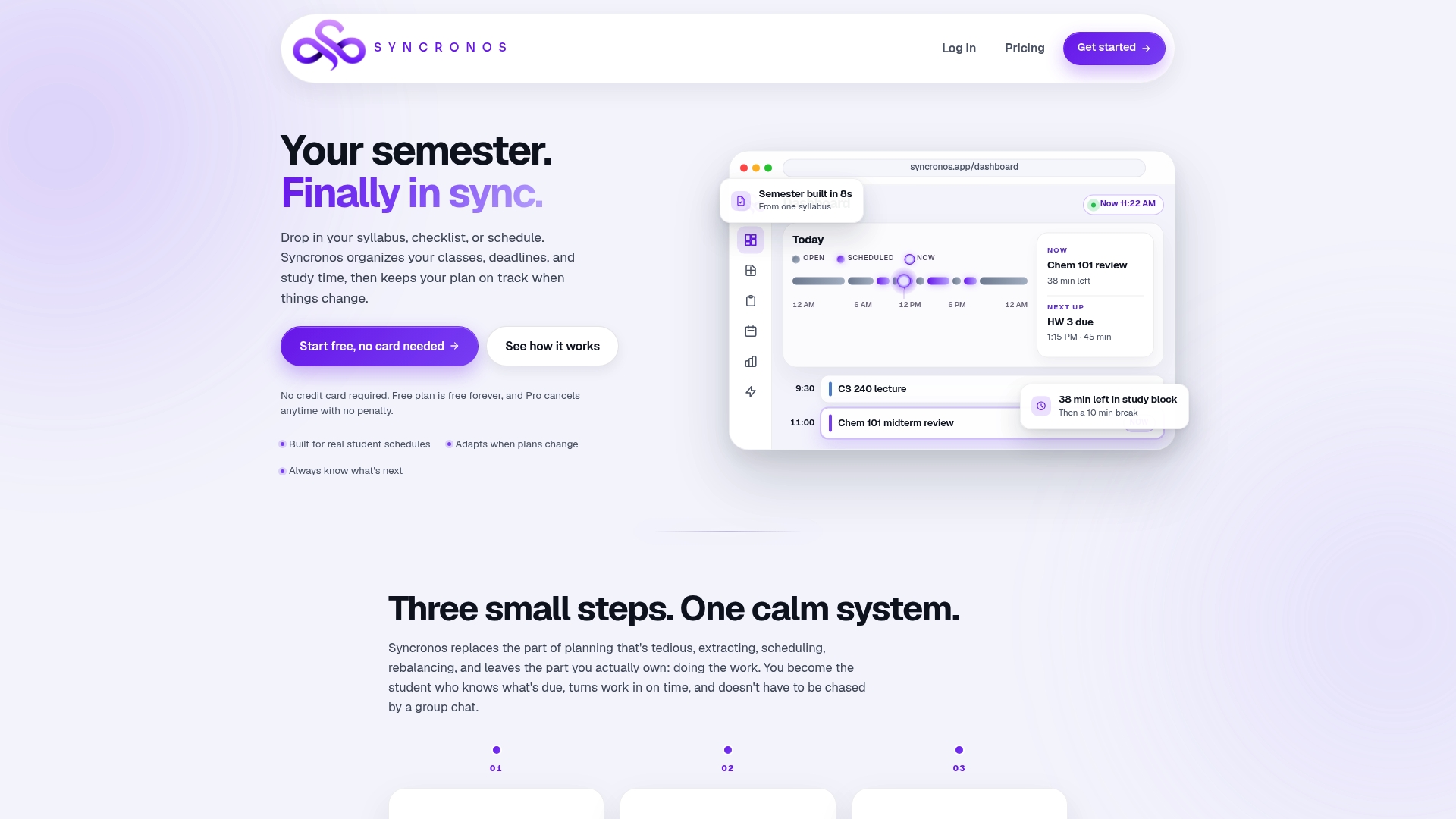
Upload a syllabus and Syncronos extracts the assignments, exams, and deadlines, then builds an initial schedule around your existing classes and commitments. When a due date shifts or you fall behind, the AI study planner rebalances your blocks automatically instead of leaving you to redo the whole week by hand. That's the core difference from a static calendar app or paper planner: the schedule adapts with you instead of quietly going stale.
Syncronos runs on a free plan for students who want to test the core features, with a Monthly plan at $8.99 per month or a Yearly plan at $55.99 per year for unlimited AI scheduling, optimization, and workload forecasting. Start with the free tier this week, upload your first syllabus, and run your first weekly rebuild to see how much setup time it actually saves.
Sources
For deeper reading, see the Frontiers in Psychology meta-analysis on time management and learning outcomes, Stanford's weekly planning guide, and Syncronos's product overview for automation details.
- Unlocking academic success: the impact of time management on college students’ study engagement
- Study longer or study effectively? Better study strategies can compensate for less study time and predict goal achievement and lower negative affect
- How Did It Get So Late So Soon? The Effects of Time Management Knowledge and Practice on Students’ Time Management Skills and Academic Performance
- Systematic review and meta-analysis of the impact of time management on college students’ learning outcomes — Frontiers in Psychology
FAQ
What Is the Time Blocking Technique for Students?
Time blocking means assigning a specific, labeled time slot to each class, assignment, or study task instead of working from an open to-do list. Students typically protect non-negotiables like sleep and classes first, then fill in study blocks and buffer time around them.
Is Time Blocking Bad for ADHD?
Time blocking isn't inherently bad for ADHD, but the standard version often needs adjusting. Shorter blocks of 20 to 30 minutes, visual timers, and external accountability tend to work better for ADHD students than the longer 90-minute blocks that suit other learners.
Is Time Blocking Actually Effective for Students?
Research supports it with some nuance. A 2025 study found time management strongly predicted study engagement, and a 2026 meta-analysis found a moderate positive correlation between time management strategies and learning outcomes, stronger for undergraduates. It's a genuine tool, not a guaranteed fix on its own.
Can You Give an Example of a Time Block Schedule?
A typical weekday might run three hours of classes, a 45 minute study block for reading, another class block, a 90 minute problem-set block, and a shorter evening review block before a buffer period. Exam-prep days usually swap that structure for two or three 90 minute deep-work blocks separated by short breaks.