
An AI-generated study schedule template pulls deadlines directly from your syllabus and builds conflict-free study blocks around them, then adjusts those blocks automatically when a due date shifts. Peer-reviewed testing on this kind of adaptive scheduling system found it raised syllabus coverage from 61.2% to 88.4% and cut reported academic stress by roughly a third. The catch: you still need to verify what the AI extracted before you trust it.
TL;DR:
- Verify high-impact dates like exams and deadlines directly against your syllabus before trusting the AI-generated schedule.
- Ensure your availability is realistic and set buffer days, especially before major deadlines, to prevent overloading.
- Confirm irregular recurrence patterns and TBA items manually, and avoid auto-accepting small schedule auto-rebalances without review.
- Keep your original syllabus PDF open during reviews to catch extraction mistakes and prevent costly scheduling errors.
- Use personalization settings such as shorter study blocks and difficulty weighting to improve adherence and make the schedule achievable.
Table of Contents
- What Goes Into a Syllabus-Driven Study Schedule Template?
- How Do You Turn a Syllabus Into an Adaptive Study Plan?
- What Makes an Adaptive Study Plan Realistic?
- How Do You Verify an AI Schedule Before You Trust It?
- Which Personalization Settings Actually Improve Adherence?
- How Do You Sync a Study Schedule to Your Calendar?
- What Are the Biggest Risks With AI-Generated Study Schedules?
- Why Verification-First Design Matters More Than Automation Alone
- Build Your Adaptive Study Plan With Syncronos
- Sources
What Goes Into a Syllabus-Driven Study Schedule Template?
Four distinct pieces work together, and knowing where each one starts and stops tells you where to look when something seems off. An extraction engine reads your syllabus and produces a structured deadline table, pulling exam dates, paper due dates, and reading assignments into rows you can scan and edit. Schema validation catches the typical parsing failures, like a date formatted three different ways in the same document, before they turn into a scheduling error.
From there, a constraint solver takes those deadlines plus your other commitments and builds a clash-free plan rather than just flagging where two things collide. An adaptive rebalancer then watches for changes. When a professor pushes back a midterm, it redistributes the study blocks that led up to it instead of leaving you with a schedule that no longer matches reality.
Your job in this loop is narrow but critical:
- Confirm high-impact dates (exams, papers, project deadlines) against the actual syllabus
- Set your real availability, not your aspirational availability
- Flag anything marked "TBA" so the system doesn't silently guess
How Do You Turn a Syllabus Into an Adaptive Study Plan?
Turning a stack of PDFs into a working semester plan follows a repeatable sequence, and skipping steps is where most schedule failures start.
- Prepare your syllabus documents. Scan each one for "TBA," "subject to change," or footnoted exceptions before you upload anything. These phrases are exactly where automated extraction tends to stumble.
- Run extraction and check the deadline table it produces. Confirm the date, time, recurrence pattern, and the syllabus page or section each entry came from. This step is where you catch a misread date before it becomes three weeks of misdirected studying.
- Enter your availability and study preferences. Set realistic daily caps and preferred session lengths rather than defaults you won't actually keep.
- Generate the plan and look at the week-by-week load. A healthy plan shows buffer days before major deadlines and spreads revision across multiple sessions instead of cramming it into one.
- Review weekly and accept or adjust rebalanced blocks. Every time a deadline shifts, the system proposes new placements. You decide whether to accept them as-is.
This mirrors the general workflow researchers recommend: map the syllabus, extract, verify, schedule fixed commitments, then build study blocks around them.
Pro Tip: Run extraction on the first day of the term, not the week before your first exam. Early errors are cheap to fix; errors caught three weeks in mean rebuilding a chunk of your calendar.
What Makes an Adaptive Study Plan Realistic?
A generated schedule earns your trust when it respects two kinds of rules at once. Hard constraints are non-negotiable: your exam is at 2:00 PM on a fixed date, and no algorithm reschedules that. Soft constraints are your preferences: how many hours you want to study per day, whether you'd rather front-load a subject or space it out.
The system layers personalization signals onto those constraints: your pace through material, how difficult you've rated a subject, and sometimes your performance history. This is why dynamic scheduling systems differ so much from simple conflict detectors that only flag overlaps and leave you to fix them. A true generator builds the clash-free plan itself. Under the hood, most engines run on constraint satisfaction and smart search techniques like propagation and heuristics, the same math that powers exam-hall and classroom timetabling, with AI handling the natural-language interface on top. Some advanced systems add reinforcement learning to adjust pacing as your performance data comes in.
A few signs tell you the output is trustworthy:
- Buffer time sits before major deadlines, not right up against them
- Revision for a topic appears more than once, spaced across the term
- Daily loads look like something you could actually complete
In a controlled trial of one such system, schedule adherence reached 82.1% over four weeks, a meaningfully higher rate than students typically hit with self-managed plans.
How Do You Verify an AI Schedule Before You Trust It?
Every generated plan needs a quick check before you build your week around it, and the check gets faster once it's a habit.
- Confirm the date, time, and recurrence pattern for each high-impact entry
- Trace ambiguous or "TBA" items back to the original syllabus page or section
- Decide which automated rebalances you'll accept outright and which need your review
- Export or back up your current plan before making major manual edits
TBA entries deserve special handling. The safest practice is to mark them explicitly rather than let the extraction engine guess a placeholder date, then revisit them once your instructor announces the real one.
As for what the system can update on its own: minor rebalances, like shifting a study block two days later because a deadline moved, are usually safe to auto-accept. Anything touching an exam date or a graded submission deserves a manual glance first.
Pro Tip: Keep your original syllabus PDF open in a separate tab during your first weekly review. It takes thirty seconds and catches nearly every extraction mistake before it costs you a study session.
Which Personalization Settings Actually Improve Adherence?
Most students overthink the amount of customization needed. A handful of settings drive the majority of your adherence.
- Session length and daily caps: 45 to 90 minutes per block, with two to four focused blocks a day, works for most course loads without burning you out
- Subject difficulty weighting: rate harder classes higher so the planner allocates more frequent, shorter sessions instead of one long weekly cram
- Past performance or self-assessed pace: feeding this in lets the system stop treating every subject as equally fast to learn, which research on adaptive systems identifies as a core driver of achievable workloads rather than plans that just fill open calendar slots
- Manual overrides: crisis weeks, group project crunches, and travel are exactly when you should override the AI defaults rather than fight the system
How Do You Sync a Study Schedule to Your Calendar?
A template only works if it lives where you actually look, which usually means your phone's calendar app, not a separate dashboard you forget to open.
Most systems export as .ics files or sync directly with Google Calendar, Outlook, or Apple Calendar. Some lightweight tools go further, converting raw pasted syllabus text into structured deadlines and exporting straight to .ics for immediate import. Where your school uses Canvas or Moodle, check whether an LMS connector is available and what data it shares before granting access.
Sync conflicts are the main risk once you're running two calendars in parallel:
- Pick one calendar as your source of truth and treat the other as a mirror
- Before your first import, check for duplicate events from a prior manual entry
- Re-sync after any major rebalance rather than trusting stale exports
What Are the Biggest Risks With AI-Generated Study Schedules?
Extraction isn't perfect. Footnotes get missed, and unusual recurrence patterns, like "every other Thursday starting week 3," get misread more often than straightforward weekly deadlines.
Treat every generated schedule as a working plan, not a final record. Your instructor's spoken announcement or an updated syllabus PDF always outranks what the AI extracted. Overfilling your calendar is another common trap: a plan with zero buffer looks efficient on paper and falls apart the first week something runs long.
- Cross-check footnotes and irregular recurrence patterns manually
- Keep your original syllabus as the source of truth, not the generated calendar
- Build in buffer windows and at least one recovery day per week
- Never treat a high-impact date as confirmed until you've checked it yourself
Pro Tip: Block your recovery day the same way you block a study session. An unprotected "day off" gets eaten by whatever deadline panics you most that week.
Why Verification-First Design Matters More Than Automation Alone
Syncronos automates syllabus extraction and dynamic rebalancing, but automation alone isn't the hard part. The separation between a deterministic constraint solver and the AI layer on top of it is what keeps a schedule from confidently inventing a date that doesn't exist. That distinction rarely gets discussed, and it should.
Syncronos builds around that separation deliberately: extraction surfaces dates for you to confirm, the solver enforces the constraints you set, and the rebalancer only touches blocks you've already agreed to let it manage. Students who treat the output as a draft to check, not a verdict to obey, get the most out of it. For readers ready to see the workflow in practice, the syllabus-to-calendar feature is the natural starting point.
— Syncronos
Build Your Adaptive Study Plan With Syncronos
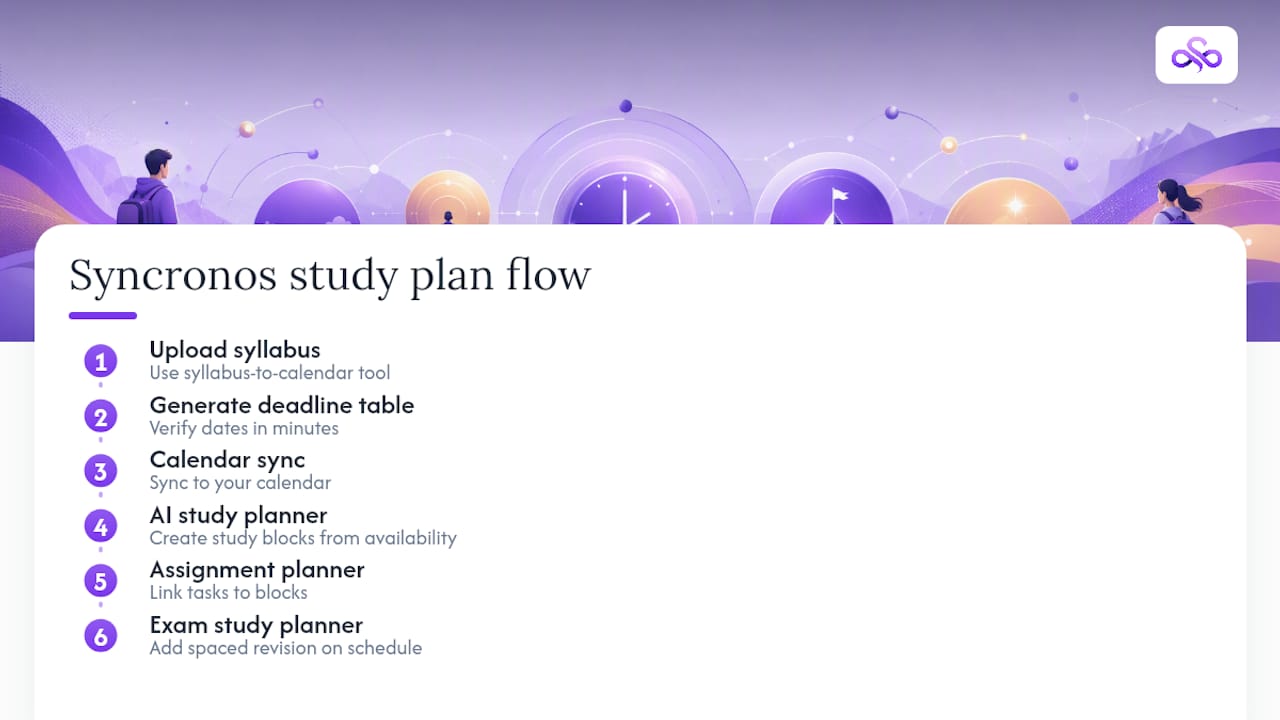
Everything in this guide, extraction, verification, rebalancing, calendar sync, maps directly onto how Syncronos works. Upload a syllabus through the syllabus-to-calendar tool, and it produces the deadline table you'll verify in minutes rather than the hour it takes to build one by hand.
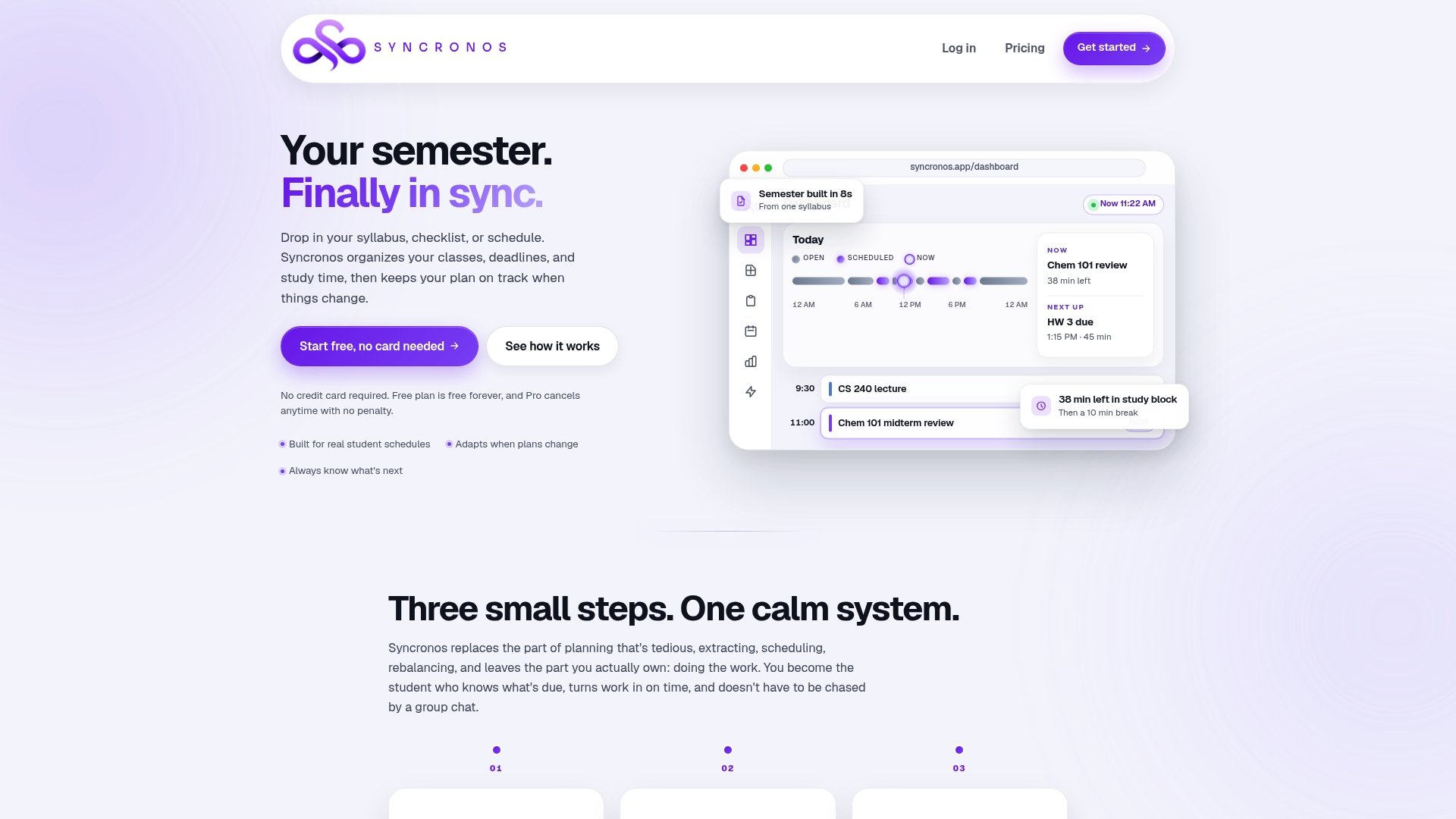
Once your dates are confirmed, the AI study planner turns them into study blocks that respect your real availability, and the assignment planner keeps individual tasks linked to those blocks so nothing falls through when a deadline moves. Heavy exam season coming up? The exam study planner adds spaced revision on top of your existing schedule instead of forcing you to rebuild it.
The free tier lets you run a full syllabus extraction and see the generated plan before you commit to anything. If the adaptive rebalancing and unlimited generations are worth it for your course load, check the plan options and upgrade when you're ready. Start by uploading one syllabus today and see what your first verified plan looks like.
Sources
For the technical grounding behind this guide: the peer-reviewed study on AI-driven study management documents the stress and adherence figures cited above, while the timetable engineering explainer breaks down the constraint-solving math underneath any credible scheduler. For a practical walkthrough, see the five-step syllabus-to-semester-plan guide.
- Dynamic scheduling for personalized learning (Upskillist blog)
- Turn a Syllabus Into a Semester Plan With AI: 5 Steps
- How school timetable software actually works: Constraint satisfaction & graph coloring, explained simply — Academic Scheduler Blog